Enzzo
Designing the interaction layer for an enterprise AI platform
Role
Product Designer, Interaction Design, UX Writing, Design Systems
Duration
Aug 2024 to present
Team
Product, design, and engineering
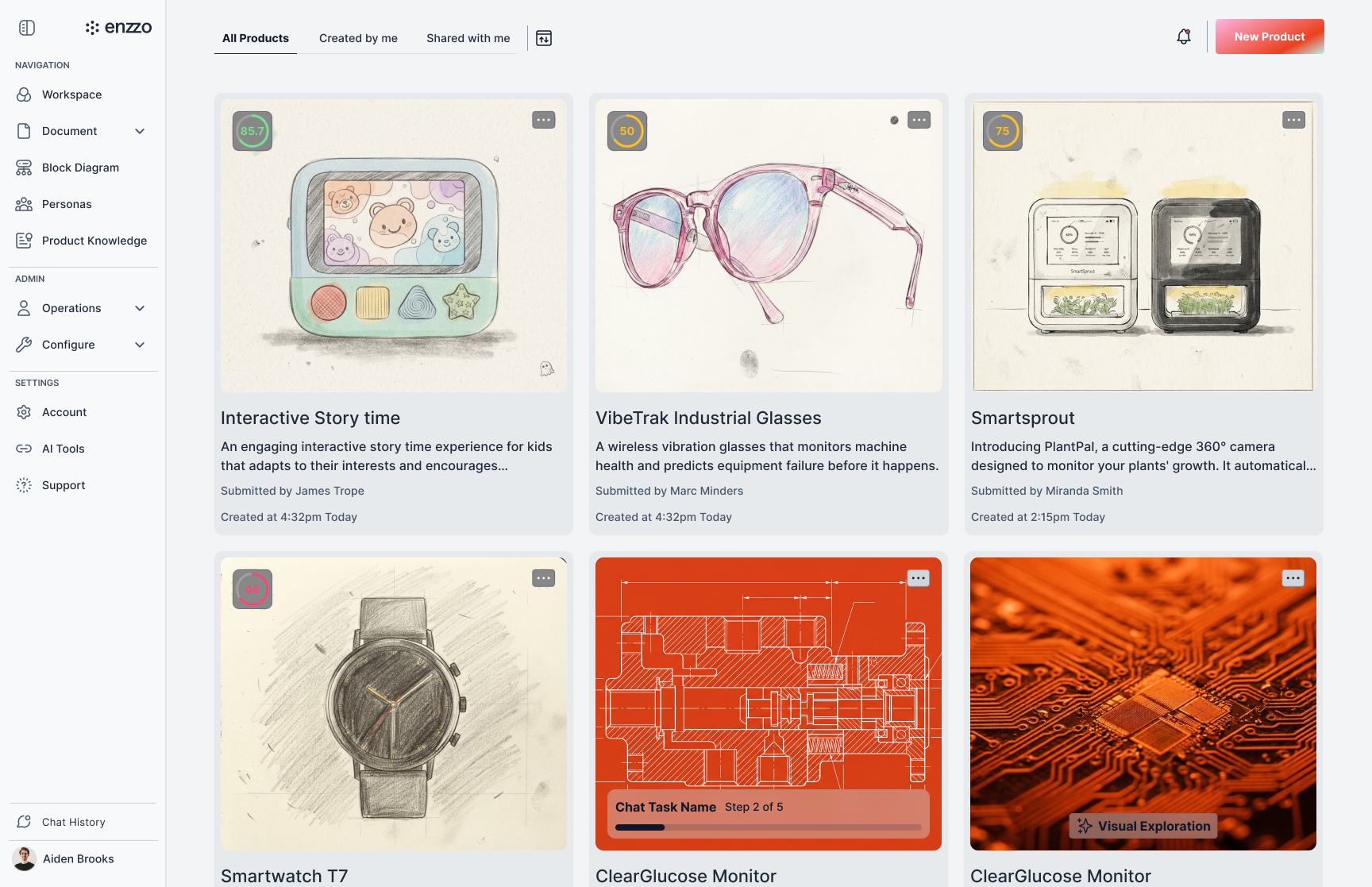
A note on confidentiality: this case study describes patterns and design reasoning only. Client names, proprietary workflows, and product internals are omitted.
Overview
I design the interaction layer of an AI platform that hardware companies use to run product development work, from early concept through launch readiness.
The product's core promise is that AI can carry real work forward: drafting requirements, mapping competitors, surfacing market signals, generating review material. The design problem is not whether the AI can produce that output. It is whether a professional user can trust it, correct it, and stay in charge of it.
My work sits at that seam. I own the patterns that decide how the system asks questions, how it hands work back, how it signals what is finished versus provisional, and how a user takes control when the AI gets it wrong.
The users are engineers, product managers, and program leads at large hardware manufacturers. They work under process gates, documentation requirements, and review cycles where being wrong is expensive. That context rules out a lot of consumer AI convention. There is no room for a system that sounds confident and quietly guesses.
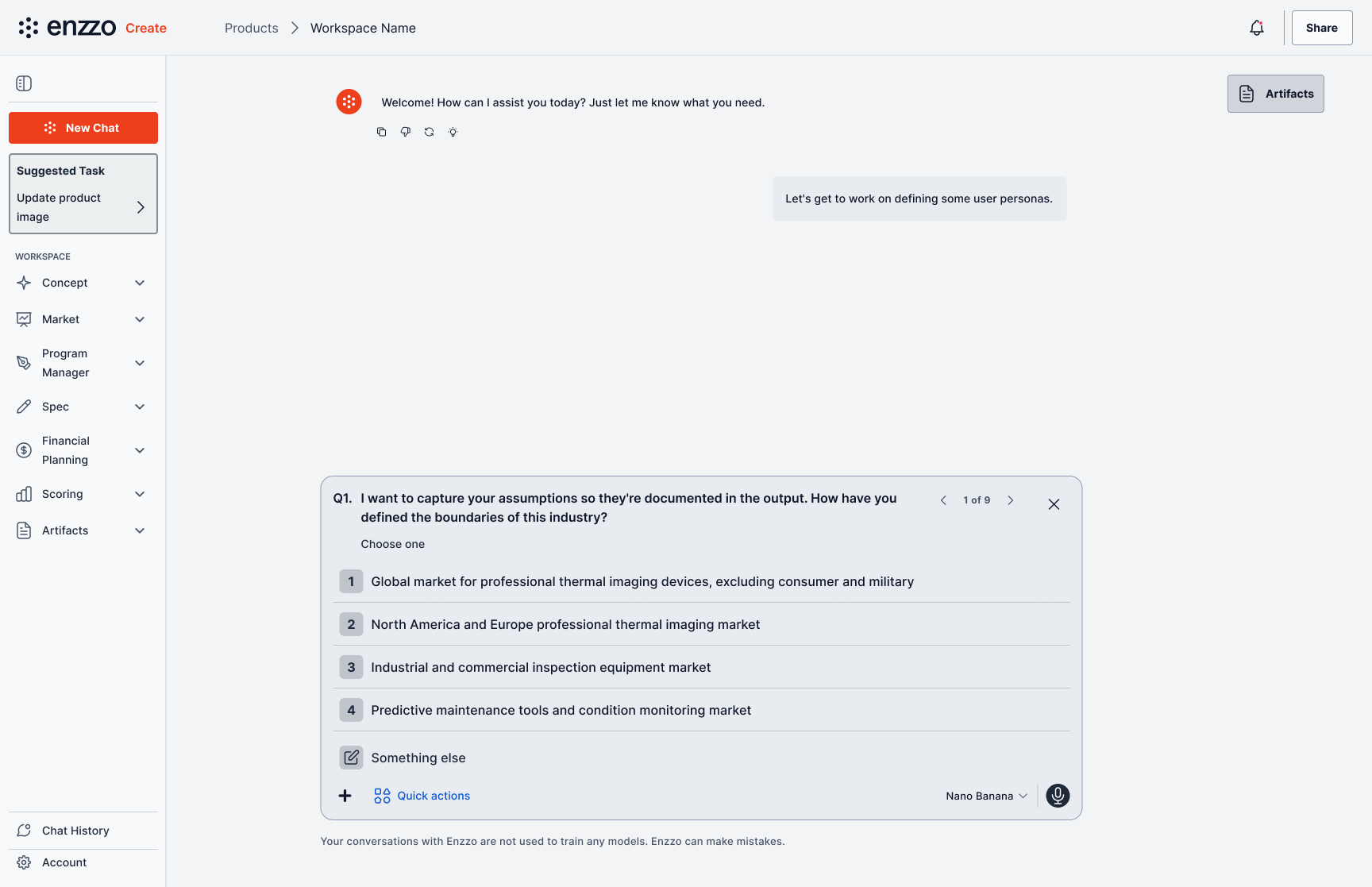
The full-screen chat surface, where the AI carries work forward and the user stays in the loop.
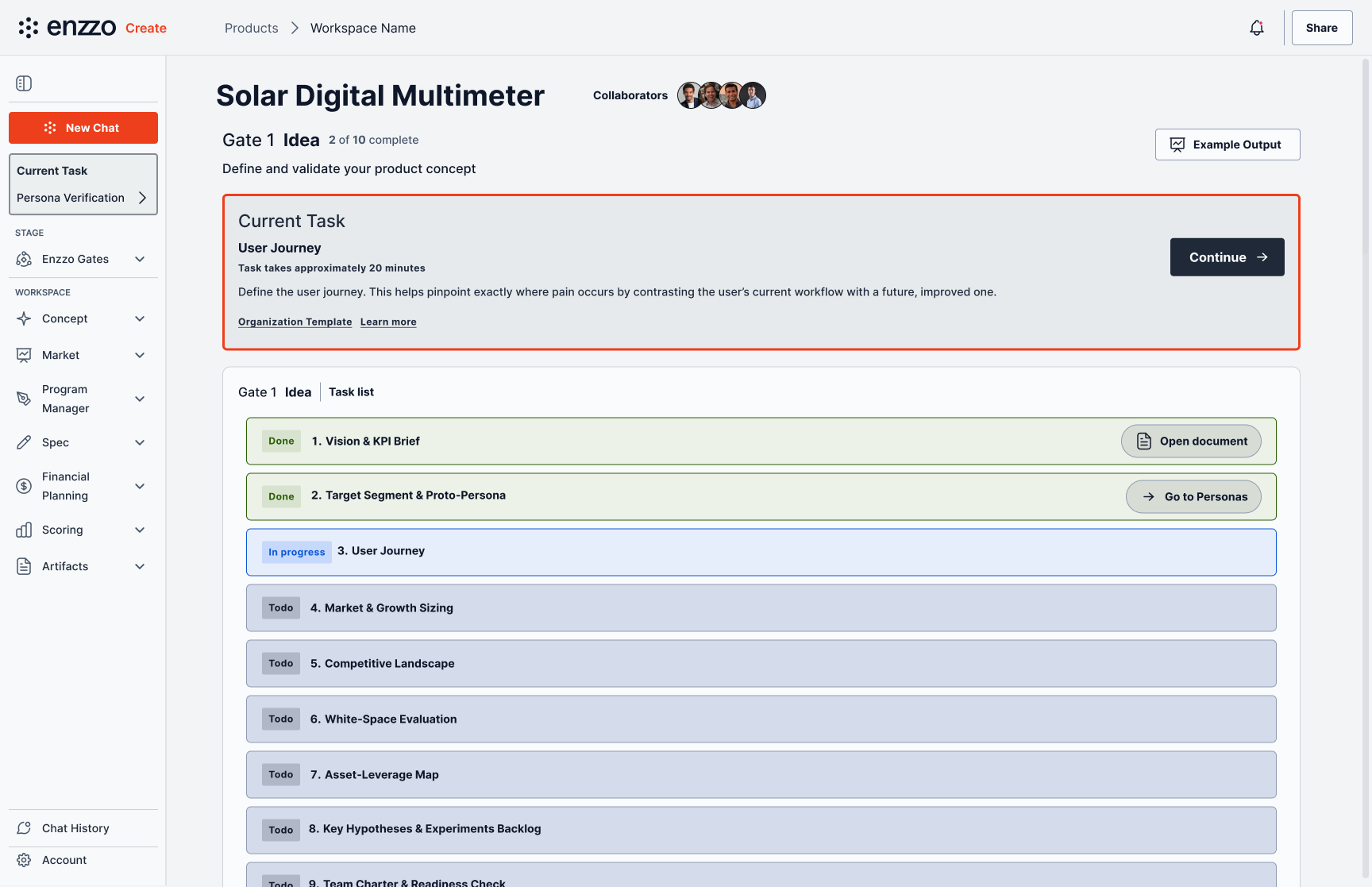
Each stage gate breaks the work into a task list, so users always know what’s done and what’s next.
Key Patterns
A contextual action panel surfaces a small set of next steps based on where the user is and what state their work is in. Rather than presenting every capability, the panel filters to what is relevant, ranks by likely intent, and shows a maximum of four — small enough to read as a suggestion, not a menu.
A conversational question pattern is what the AI uses to gather what it needs before acting. Single choice questions advance on selection, so the user never confirms twice. Multiple choice and free text wait for an explicit send. Every question includes an escape into free text, because a fixed option set that cannot be refused is a trap.
A pause and resume model handles interrupted AI work. Canceling mid-task does not discard progress or dump the user back to an empty state. The flow pauses and offers two clear ways forward, treating an interruption as a normal thing a working professional does rather than an error.
The Quick Actions panel: a filtered, ranked set of next steps — never more than four.
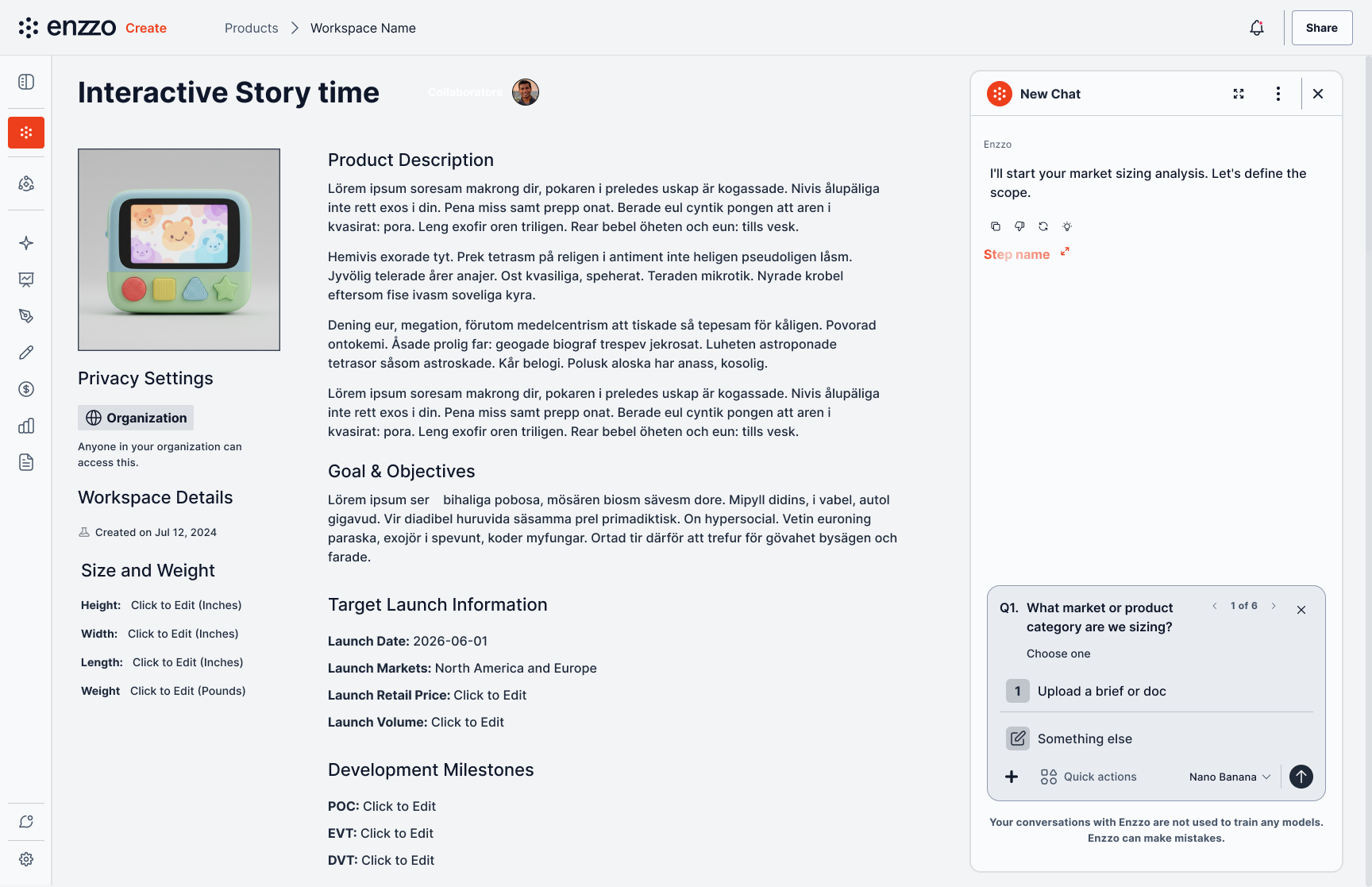
The conversational question pattern gathers what the AI needs before it acts.
Situation
Enterprise hardware teams were being handed AI tools built on consumer assumptions. Those tools optimize for a fast, fluent first answer — the wrong optimization for work that will be reviewed by a cross-functional team and defended at a stage gate.
Three problems showed up repeatedly: AI output looked finished when it was not, with generated content arriving with the same visual authority as content a human had written and approved. The AI asked for input in ways that dead-ended — question patterns were inconsistent across the product, some flows asked users to confirm and then type the same thing again. And capability was invisible: as the platform grew, users could not tell what the AI was able to do in the context they were in, or what a given action would actually produce.
Research
Research ran continuously rather than as a phase, through an enterprise pilot program with live users doing real work.
Pilot sessions: recurring working sessions with engineers and program leads using the product on their own projects. I organized raw session notes by theme and produced structured summaries the team could act on.
Feedback triage: detailed written feedback from pilot users, filtered into a published analysis that separated real problems from noise, known issues, and gaps that were actually missing onboarding rather than missing features. That distinction mattered — treating every complaint as a design defect would have sent the team chasing the wrong work.
Internal capability audit: a systematic pass across every AI action in the product to document what it was supposed to produce, which surfaced a large gap between what engineering had built and what users expected to receive.
The most useful research artifact was not a persona. It was a decision log. Each design question that came up in pilot sessions got recorded with the options considered, the choice made, and the reasoning, alongside an explicit list of open questions. Enterprise design work moves through many stakeholders over many months, and without that record the same debates reopen every quarter.
Findings
Provisional content needs to look provisional. The single most consistent theme across pilot feedback: the product did not reliably signal how tentative AI-generated content was. Users could not tell at a glance what they had approved and what the system had inferred. In a review culture, that ambiguity is not a polish issue — it is a trust issue.
Users will not read a menu of AI capabilities. Given a comprehensive list of what the AI could do, users ignored it. Given a short, contextual set of suggestions, they engaged. Discoverability came from relevance, not coverage.
Confirmation friction reads as the system not listening. Any flow that made a user state an intent and then restate it registered as the AI failing to pay attention, regardless of how few clicks were involved.
Different client maturity levels need different flows, not one adaptive flow. Organizations arriving with defined process and existing documentation need a short path that gets out of the way; organizations arriving without that need a longer, more guided path. Attempts to serve both with one adaptive flow produced something that fit neither.
Inconsistency between surfaces reads as unreliability. When the same interaction behaved differently in two areas of the product, users read it as the product being unfinished, and it made them trust the AI output less.
Objective
Make the state of AI-generated content legible, so users always know what is provisional and what is settled. Keep the human in control of every consequential decision, with the AI doing the work rather than making the call. Establish one consistent interaction language across every surface, so behavior learned in one area transfers. Make capability discoverable through context rather than documentation.
Design Principles
Legible — the user can always tell what the system did, what it assumed, and what it is waiting on.
Human in the loop — the AI carries the work, the person makes the decisions. Genuine control, not a confirmation dialog placed after the fact.
Consistent — one interaction language across the product. A pattern learned in one place behaves the same everywhere.
Small first — ship the smallest meaningful slice, then expand. Half a pattern applied everywhere is worse than a complete pattern applied in one place.
Professional — copy is concise and plain. The interface does not perform enthusiasm, and it never overstates what the AI knows.
Approach
Patterns before features. Early on I chose to define the interaction primitives first, rather than designing feature by feature and reconciling later. That meant slower initial delivery and a much lower long-term cost, since new features now assemble from existing patterns instead of inventing their own.
Written specs as the design deliverable. Each pattern ships as a written specification alongside the Figma work: intended behavior, states, copy, edge cases, and a decisions log. Figma alone was not enough — engineering needed the reasoning to build correctly, and stakeholders needed it to review without a walkthrough.
Mapping expected outcomes. I documented what every AI action in the product should produce across all major workspace areas — over 100 in total — into one reference engineering could build against and design could test against. Before it existed, the definition of a correct AI result lived in individual conversations.
Separate flows for separate realities. Rather than one onboarding flow with conditional branches, I designed distinct paths for organizations with mature process and those without, each shipped and refined on its own.
Designing with AI tooling in the loop. I restructured design system tokens so the system holds up when components are generated and modified by AI tools, and I ran implementation work through AI coding tools directly, specifying UI fixes and refinements as instructions rather than handing off static comps.
Separate Flows for Separate Realities
"Separate flows for separate realities" in practice: instead of one onboarding path with conditional branches, the front door asks directly what the user wants — a quick visual exploration, a fast scored setup, or the full Enzzo Gates track for teams that need every output ready for formal review and sign-off.
Choosing Enzzo Gates leads through how to start (a brand-new product, a next version, or an imported document), privacy, and naming, then lands the user in a stage-gated workspace: ten tasks per gate, each marked done, in progress, or todo, with the current task surfaced and estimated at a plain "20 minutes." This is the same enterprise stage-gate structure shown earlier in the case study, but reached deliberately rather than assumed as the only path.
An organization without that process overhead never sees this track — they pick Visual Exploration or Quick Setup and get a shorter route that doesn't ask them to justify the ten-task rigor they don't need.
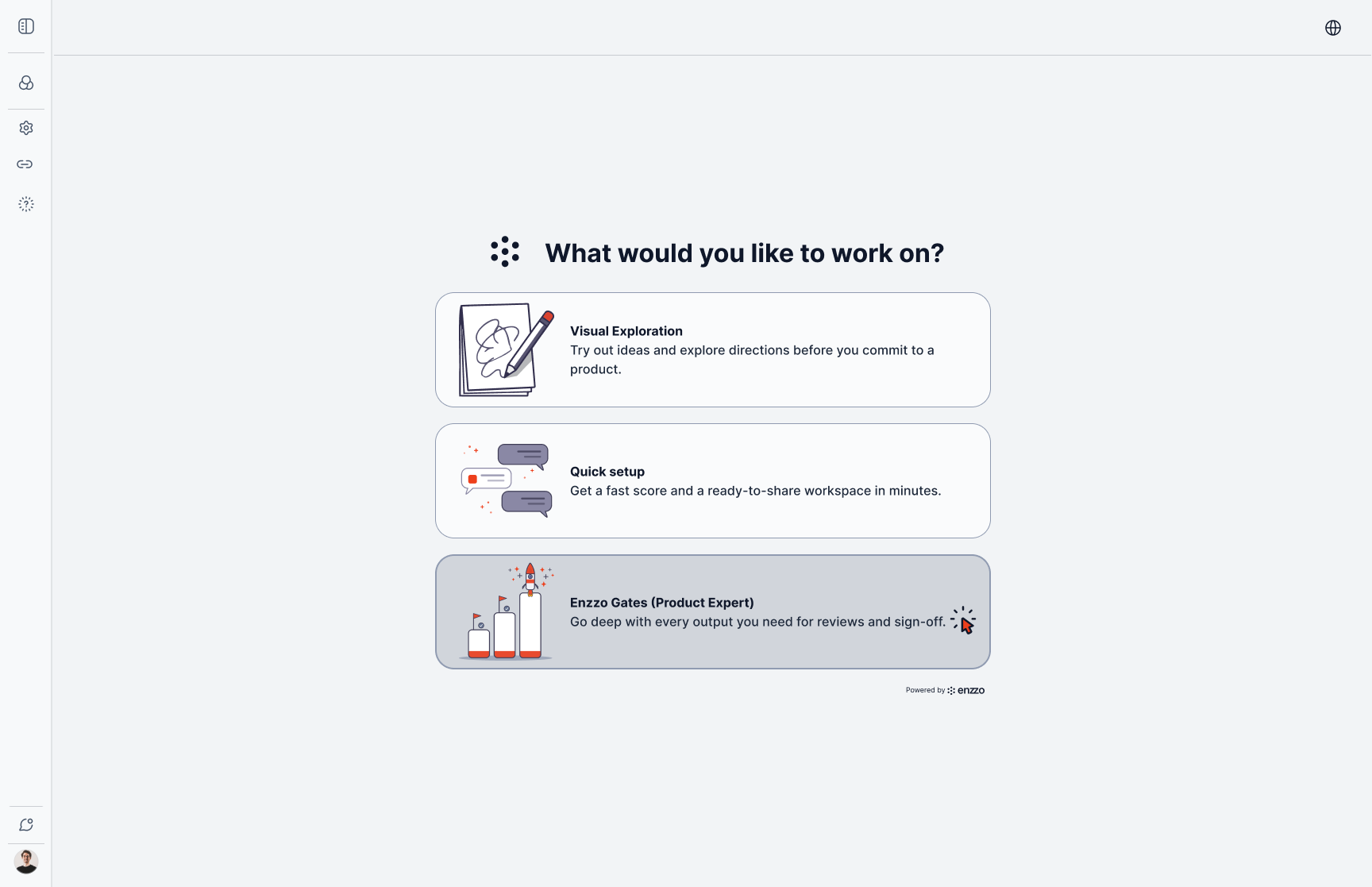
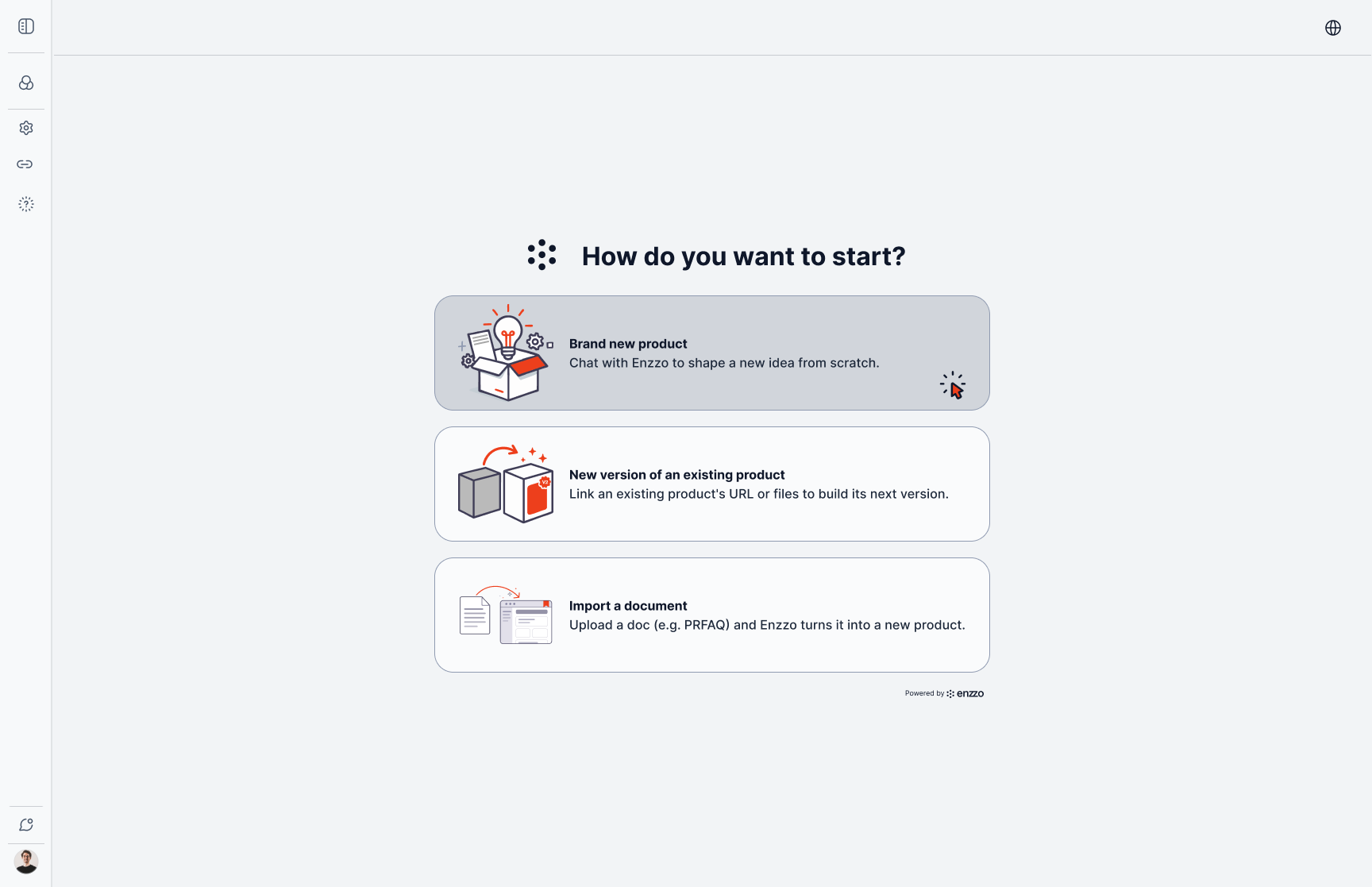
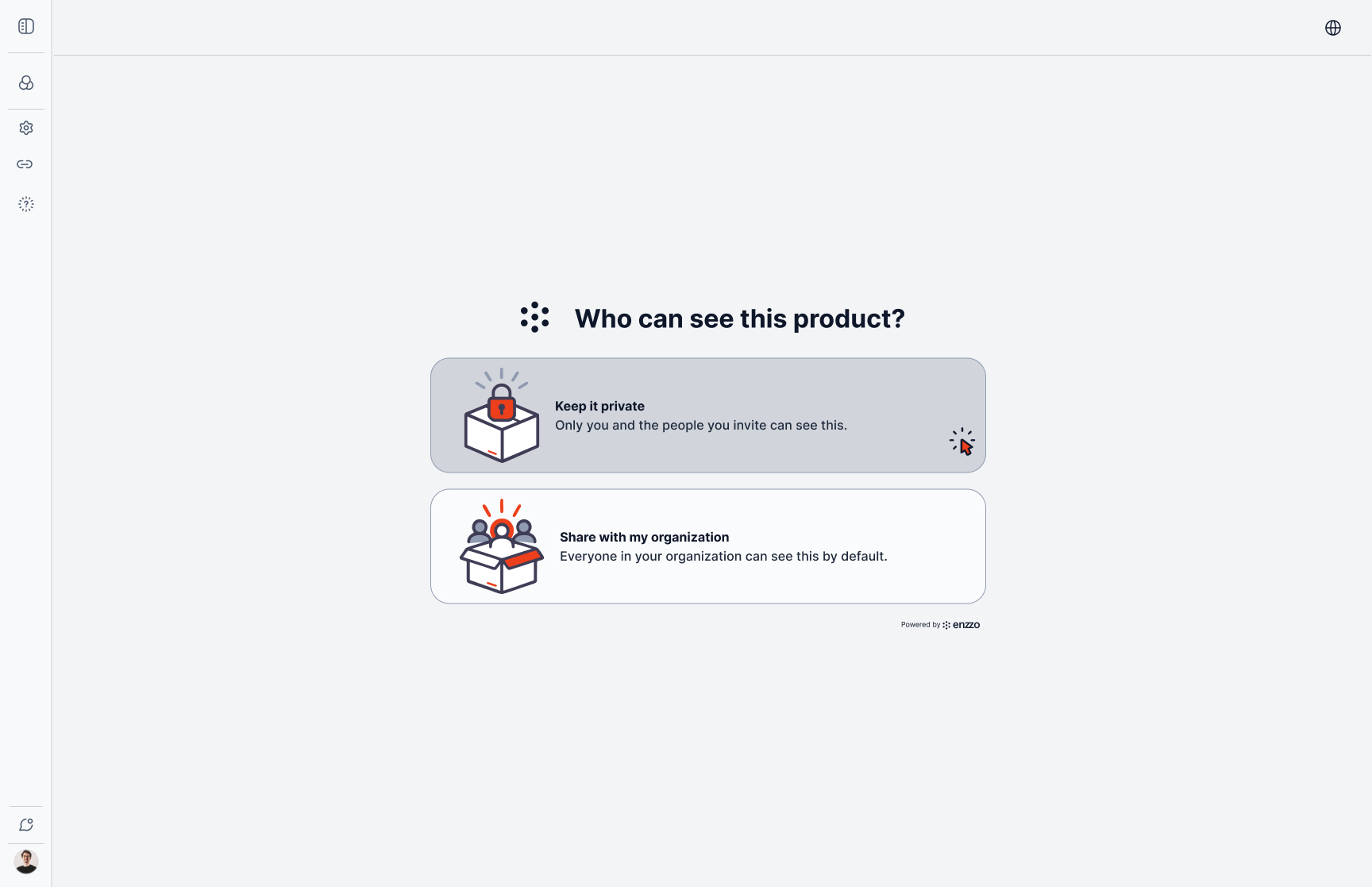
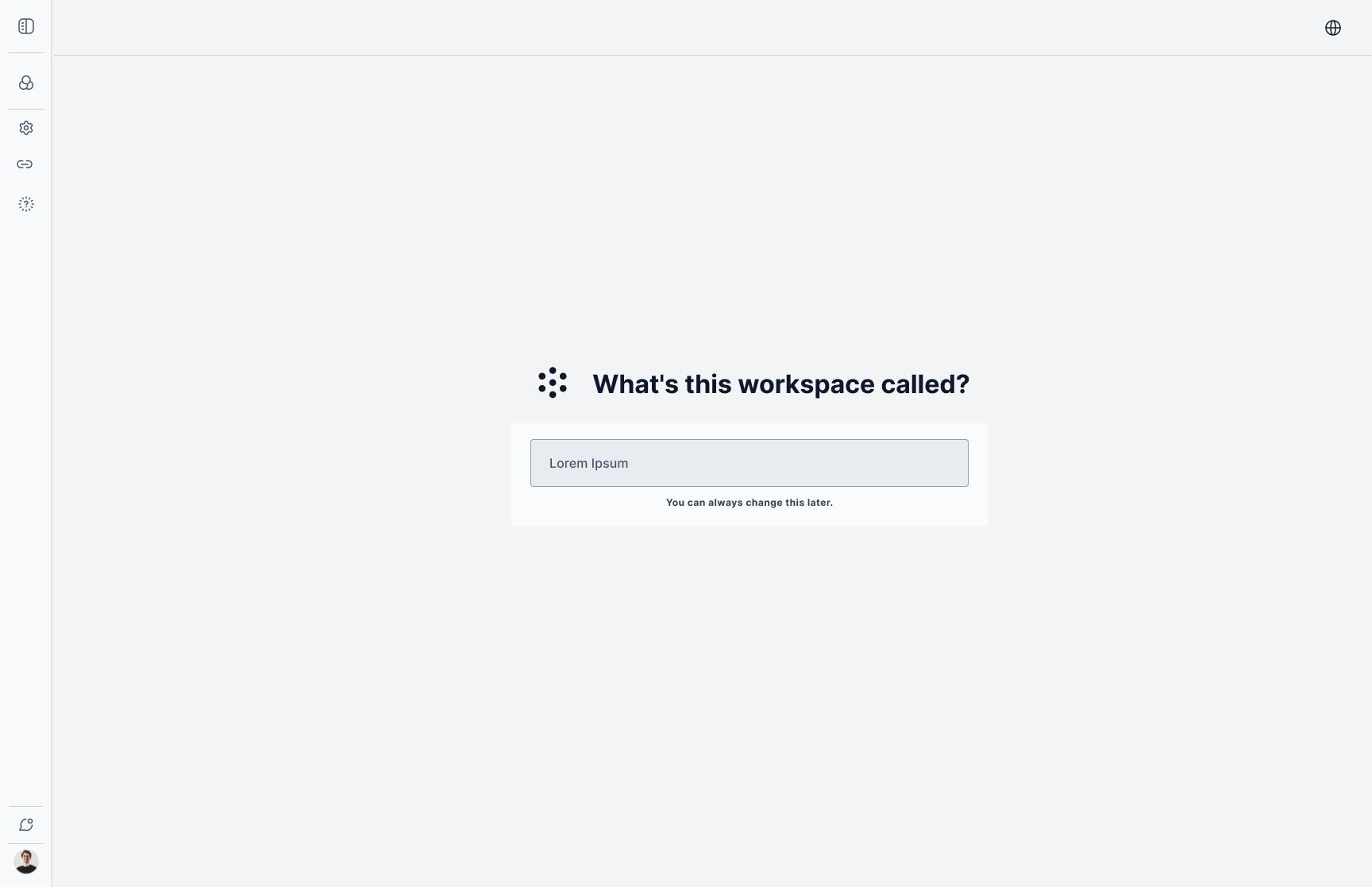
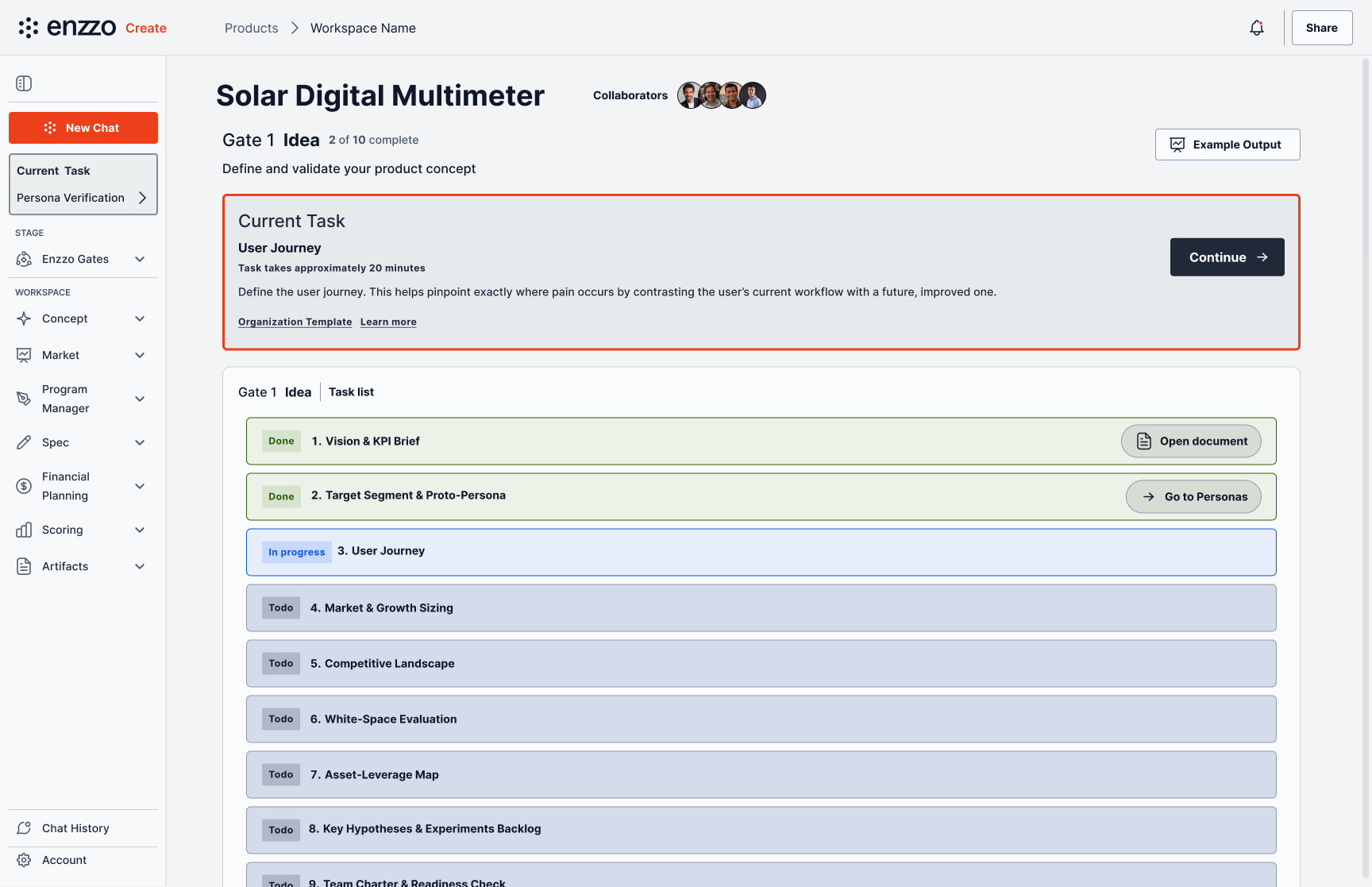
Choose a track → choose how to start → privacy → name the workspace → land in the stage-gated task list.
The Short Path
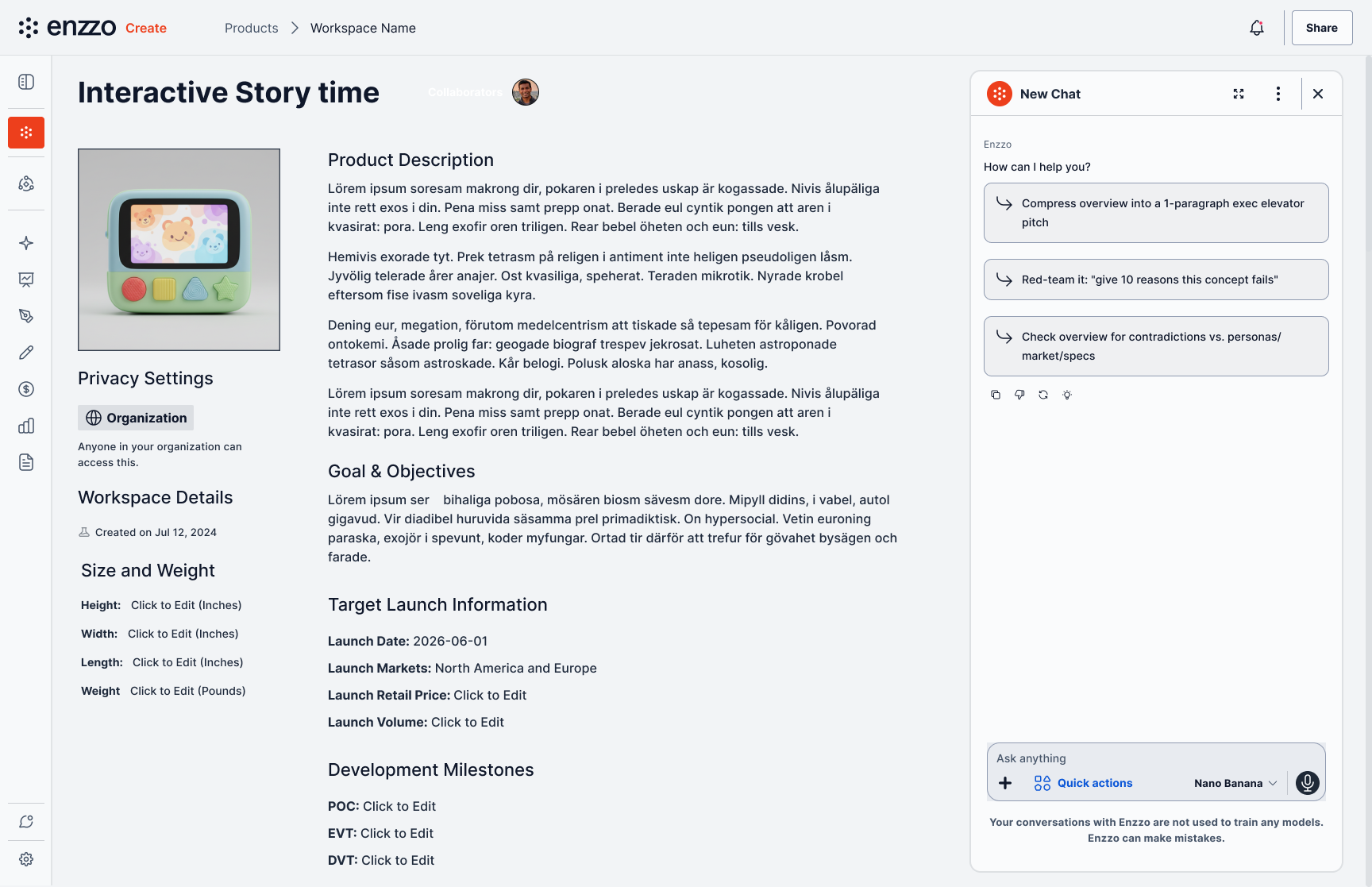
Choosing Quick Setup instead walks through the same "how to start" and privacy steps, then drops straight into a conversation — no ten-task list, no gates. The AI asks what to build, generates a sketch inline as part of the exchange, and offers "Finish Workspace Setup" as soon as it has enough to work with.
The result is a workspace scoped to match: a single product page with description, goals, and launch details, not a stage-gated task list. Same front door, same underlying AI, genuinely different depth of process — matched to what the user actually asked for rather than a lighter version of the enterprise flow.
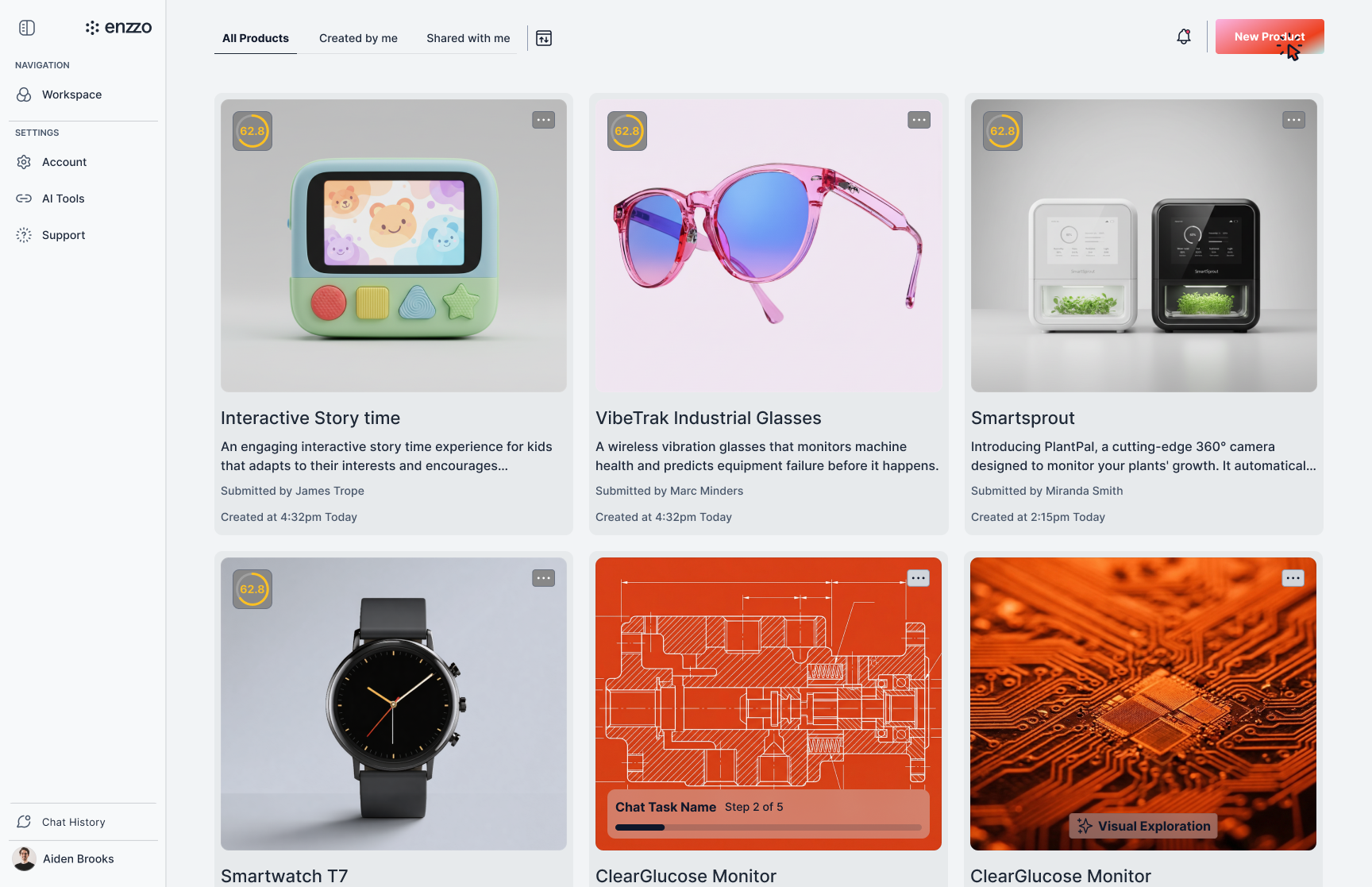
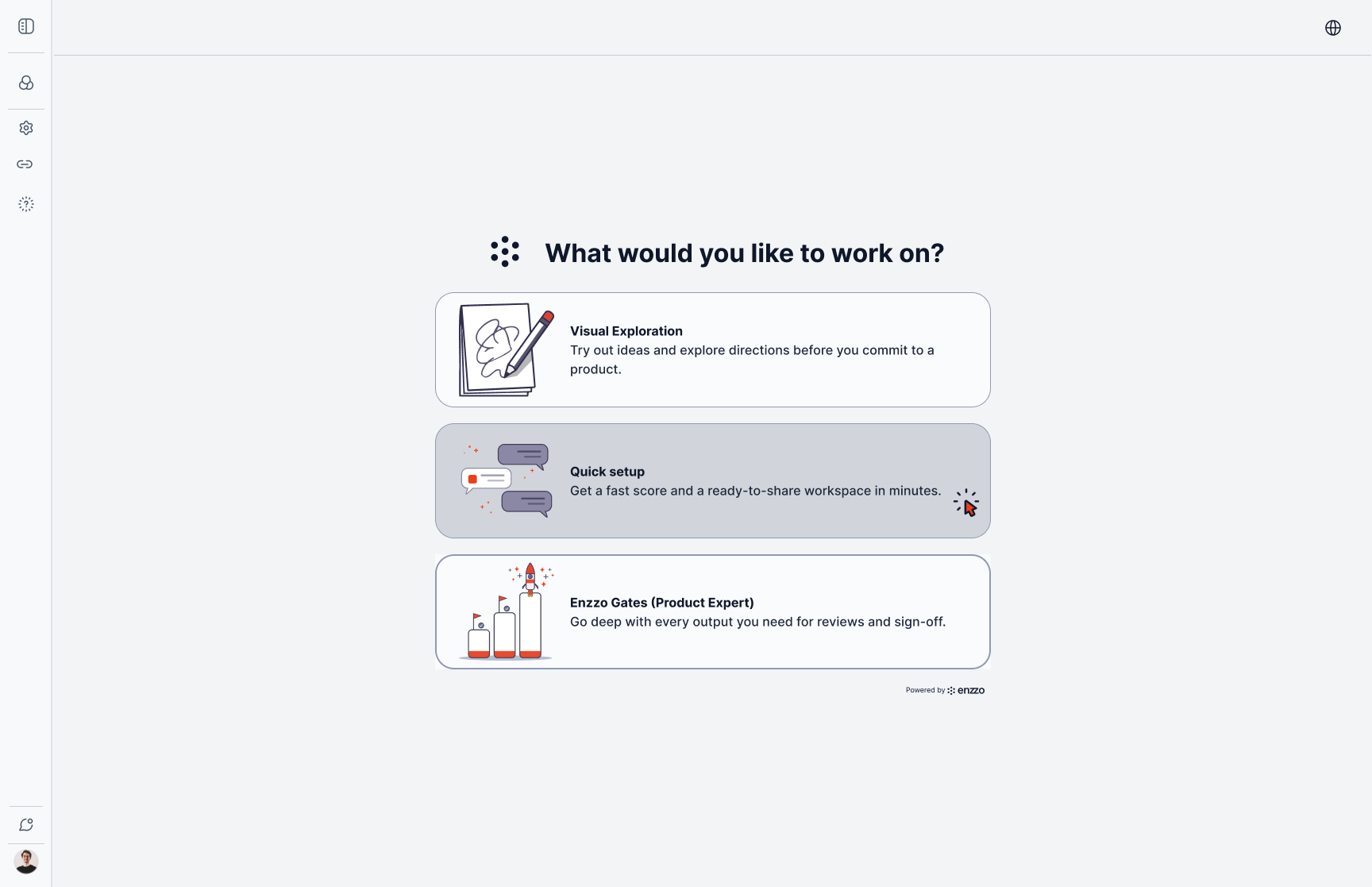
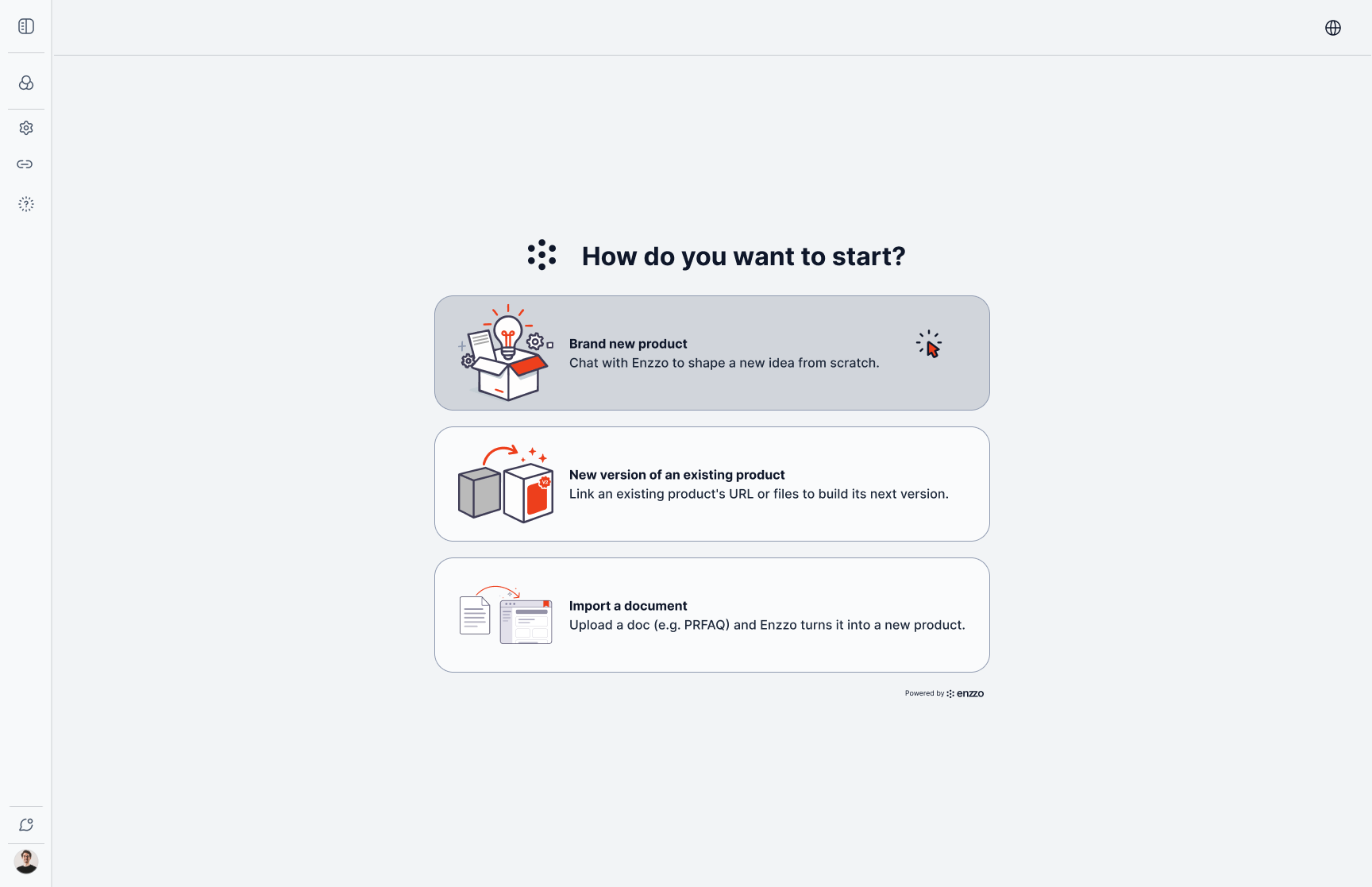
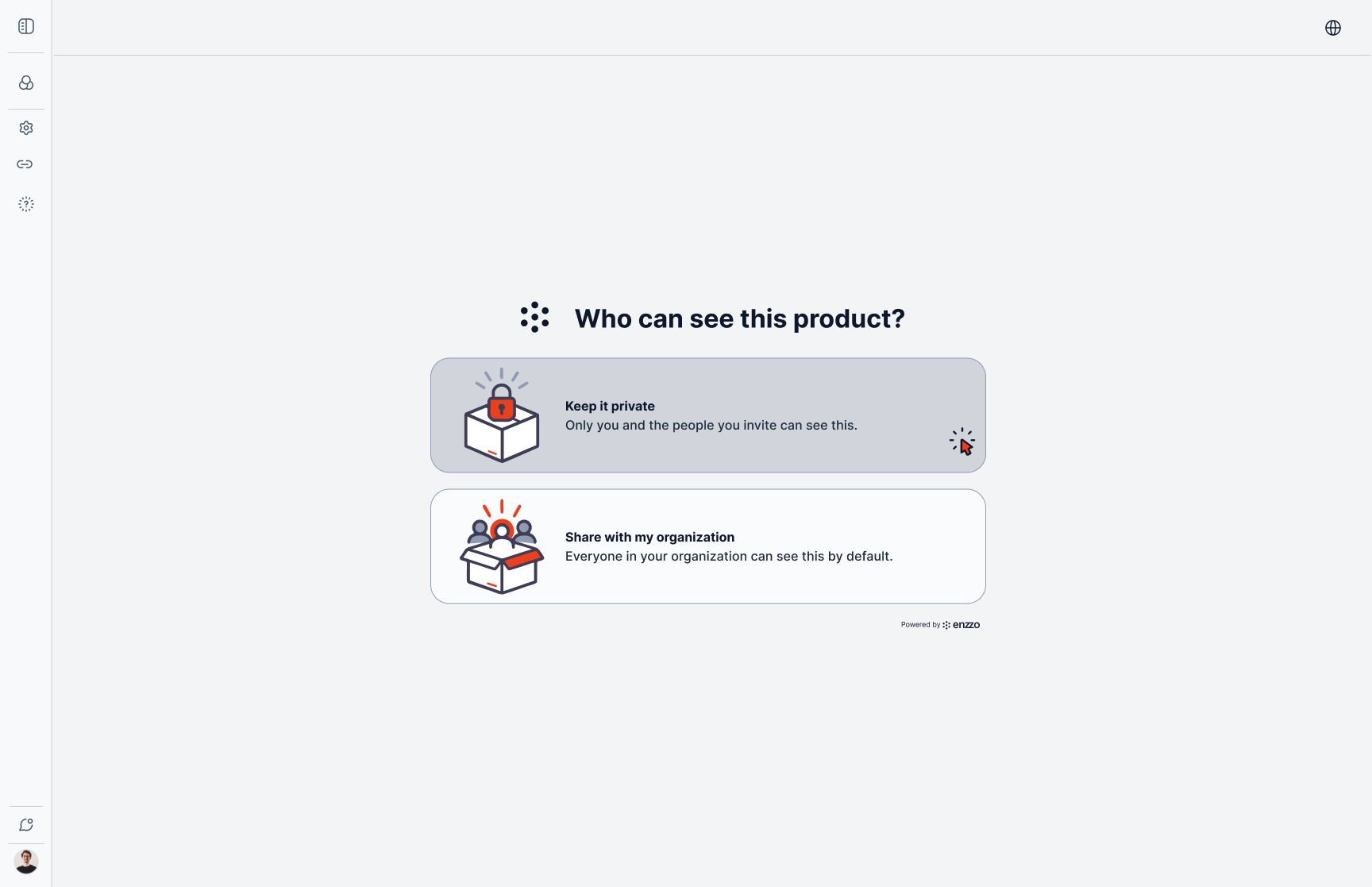
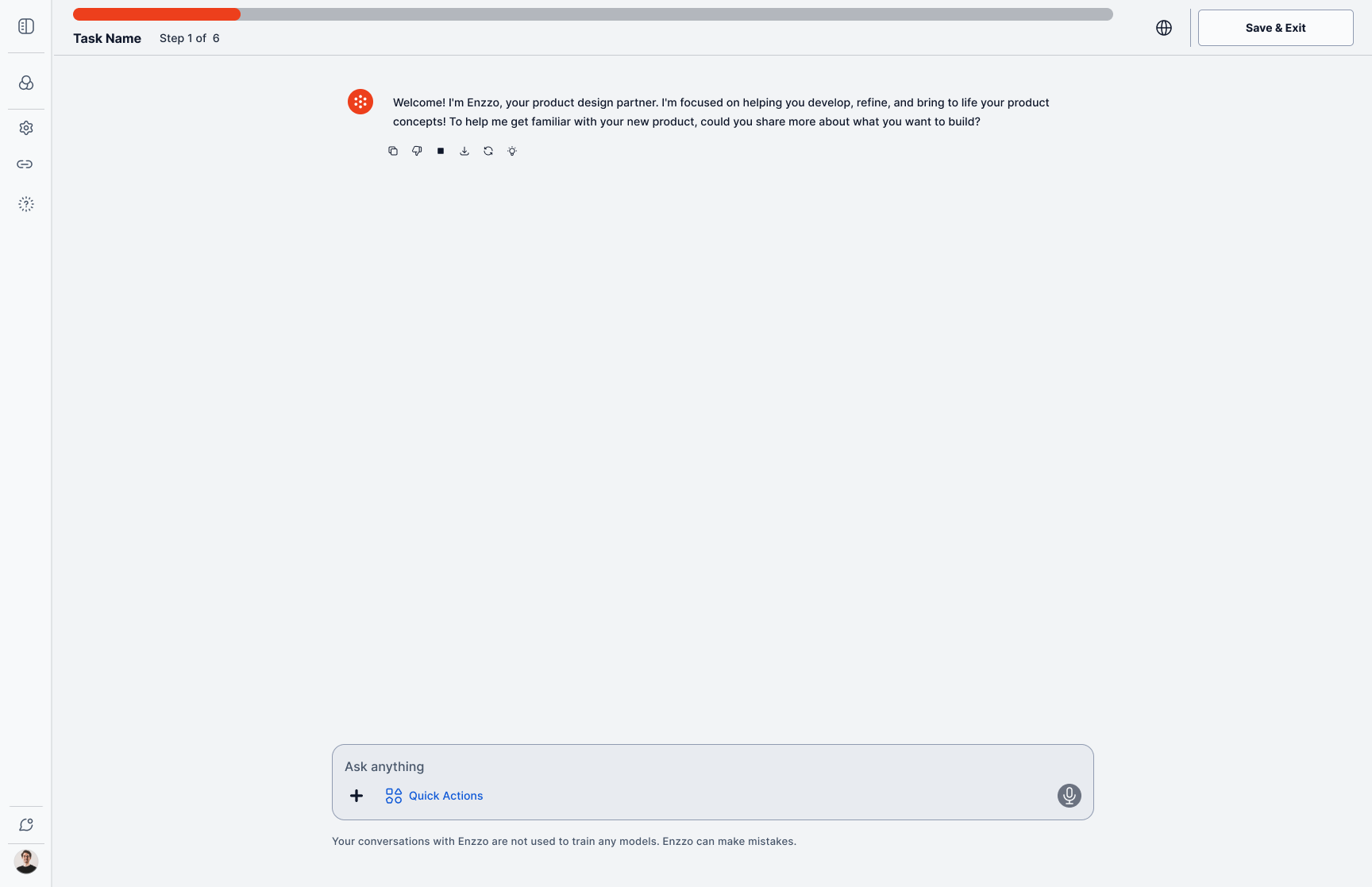
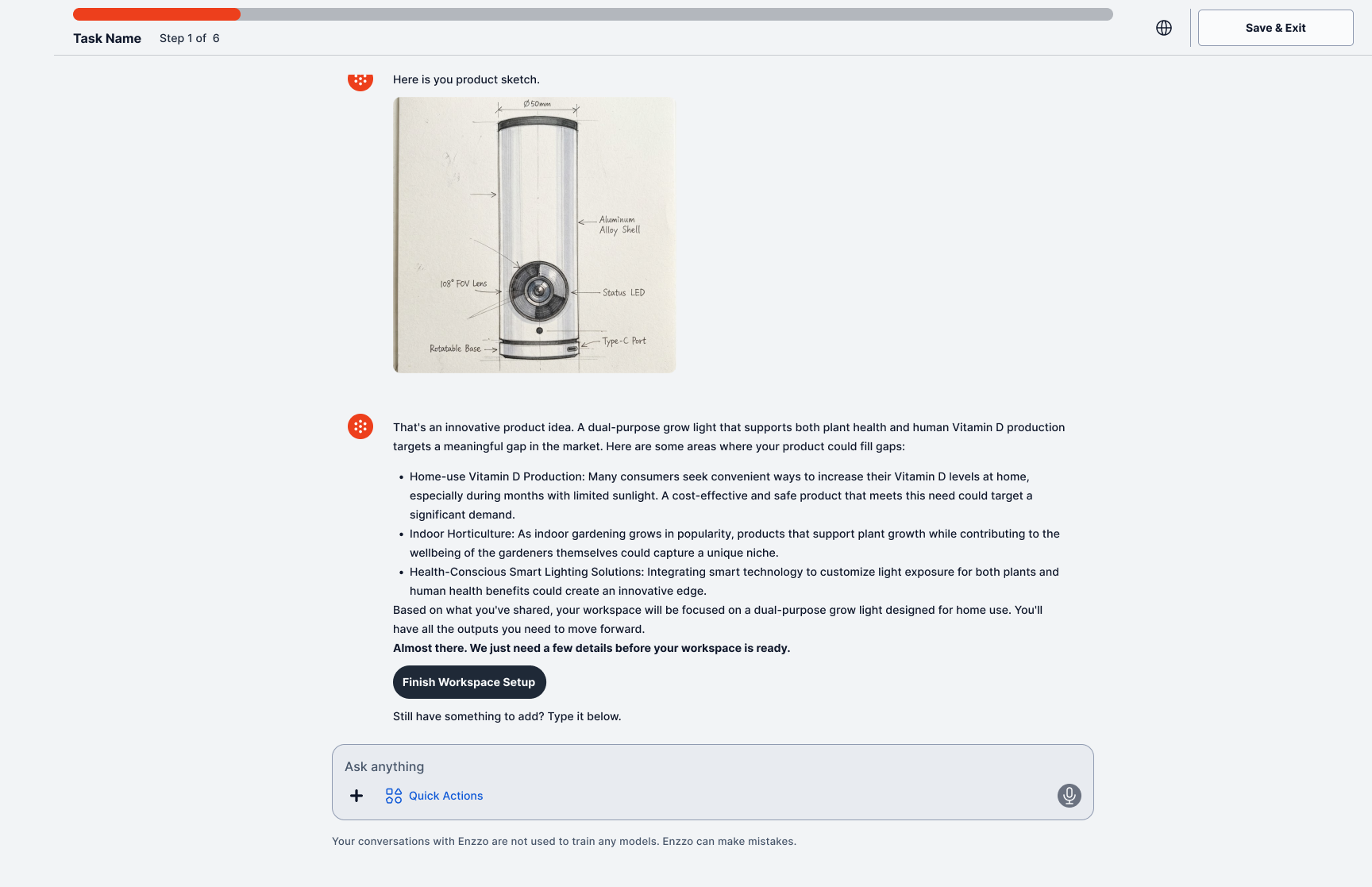
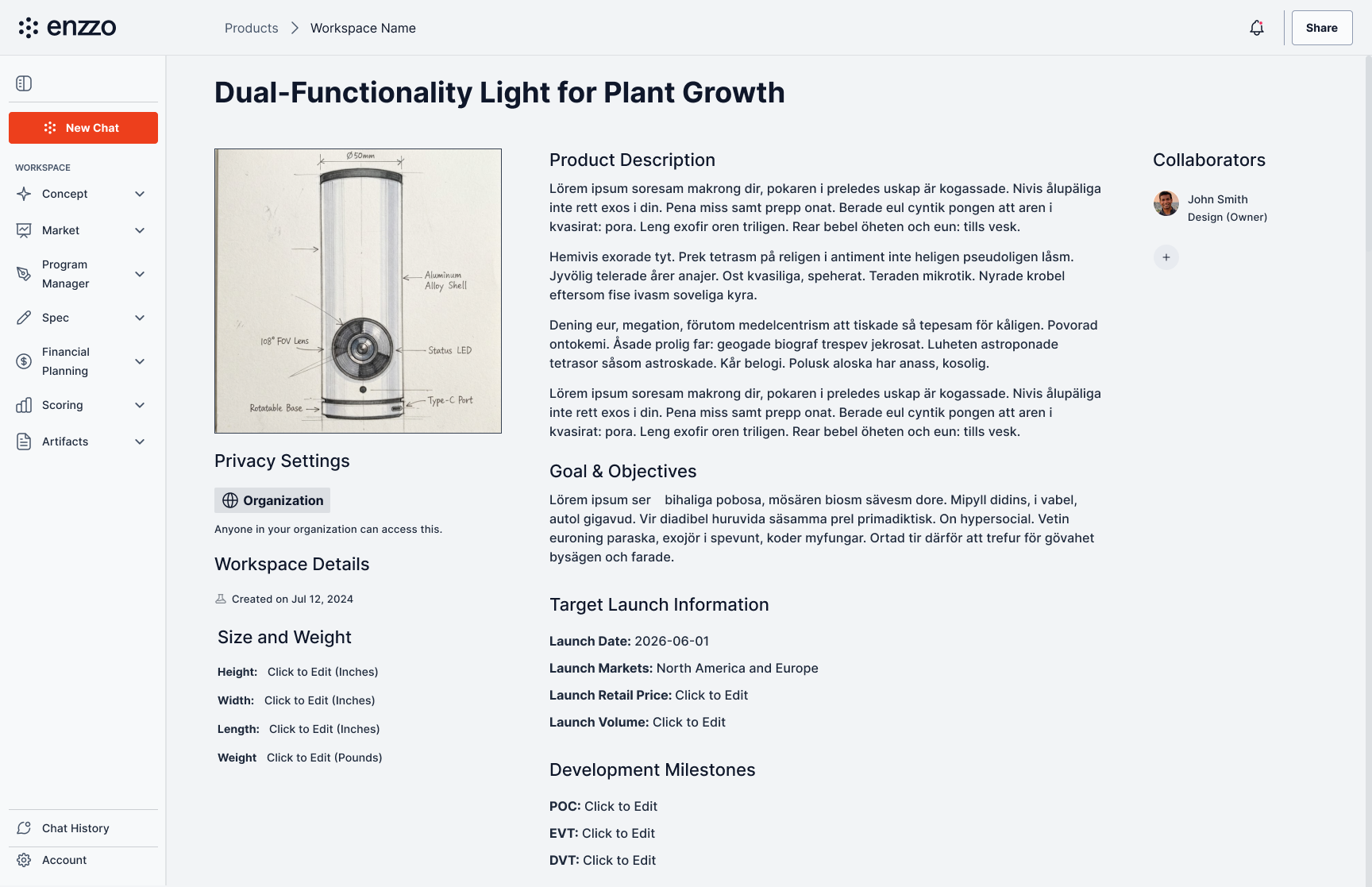
Library → choose Quick Setup → how to start → privacy → conversation → sketch generated inline → finished single-page workspace.
The Exploratory Path
The third track skips product structure entirely. Visual Exploration drops the user straight into a conversation about what they want to see, then generates image concepts side by side on an open canvas — no document, no task list, no product fields to fill in.
The output type changes to match the intent: a designer or PM testing a direction gets images they can compare and iterate on, with an explicit "Upgrade to MVC" step for the moment they're ready to formalize it into a real product workspace. In the library, that work is tagged Visual Exploration rather than carrying a stage-gate progress bar, so it's never mistaken for a shipped concept mid-review.
Three tracks, three different shapes of output — a stage-gated task list, a single scoped product page, or a canvas of comparable concepts — all reachable from the same front door.
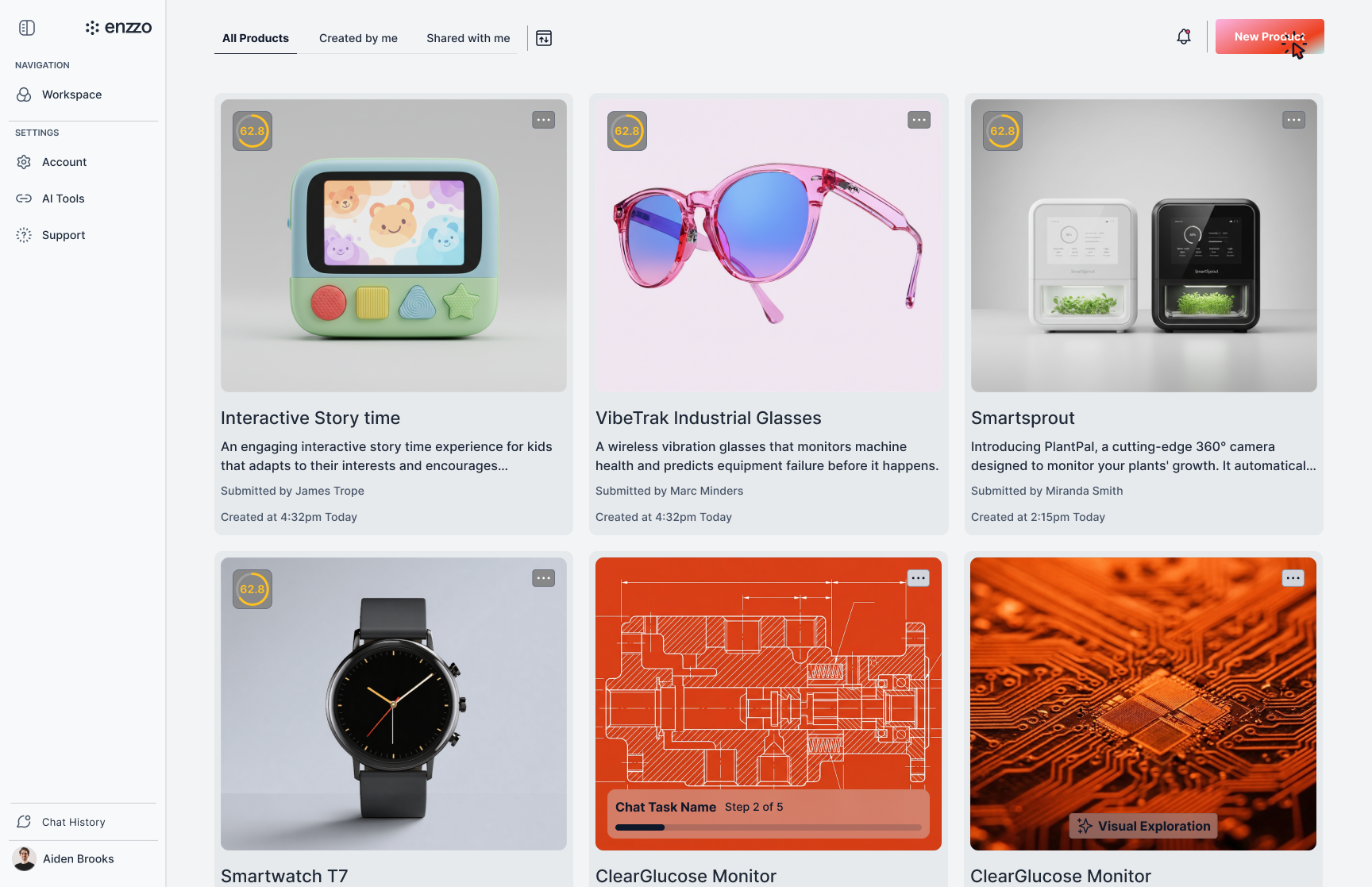
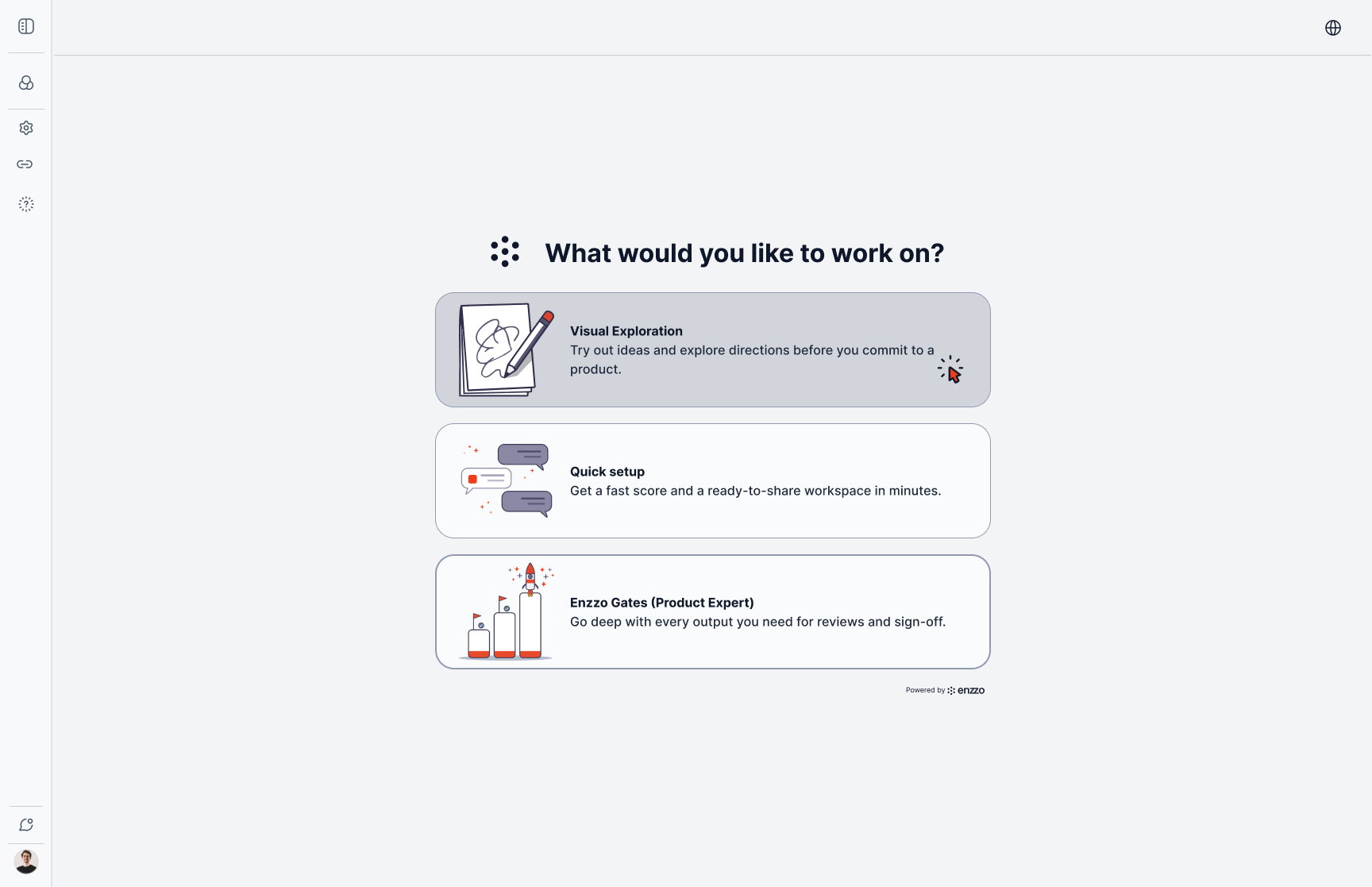
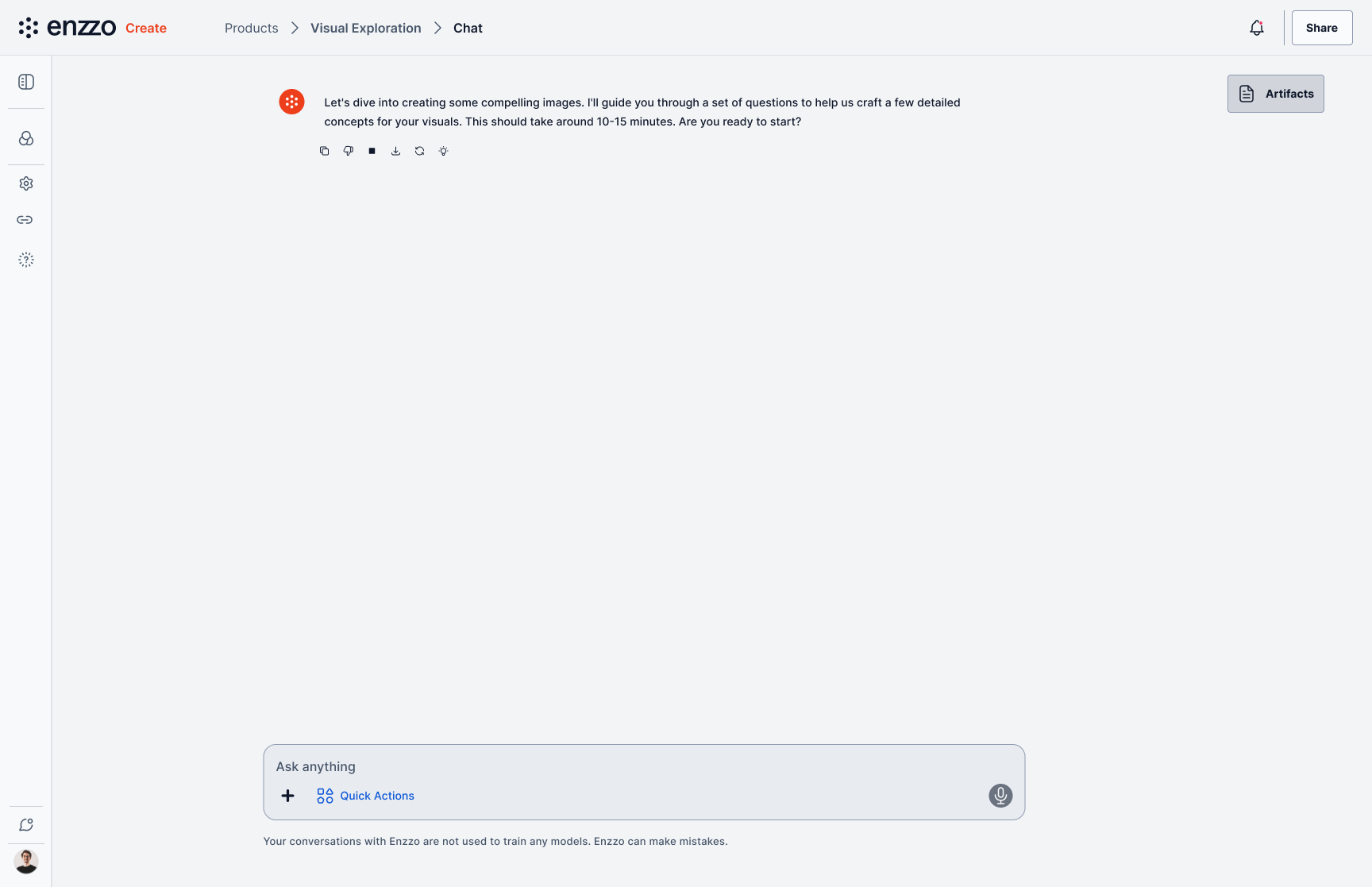
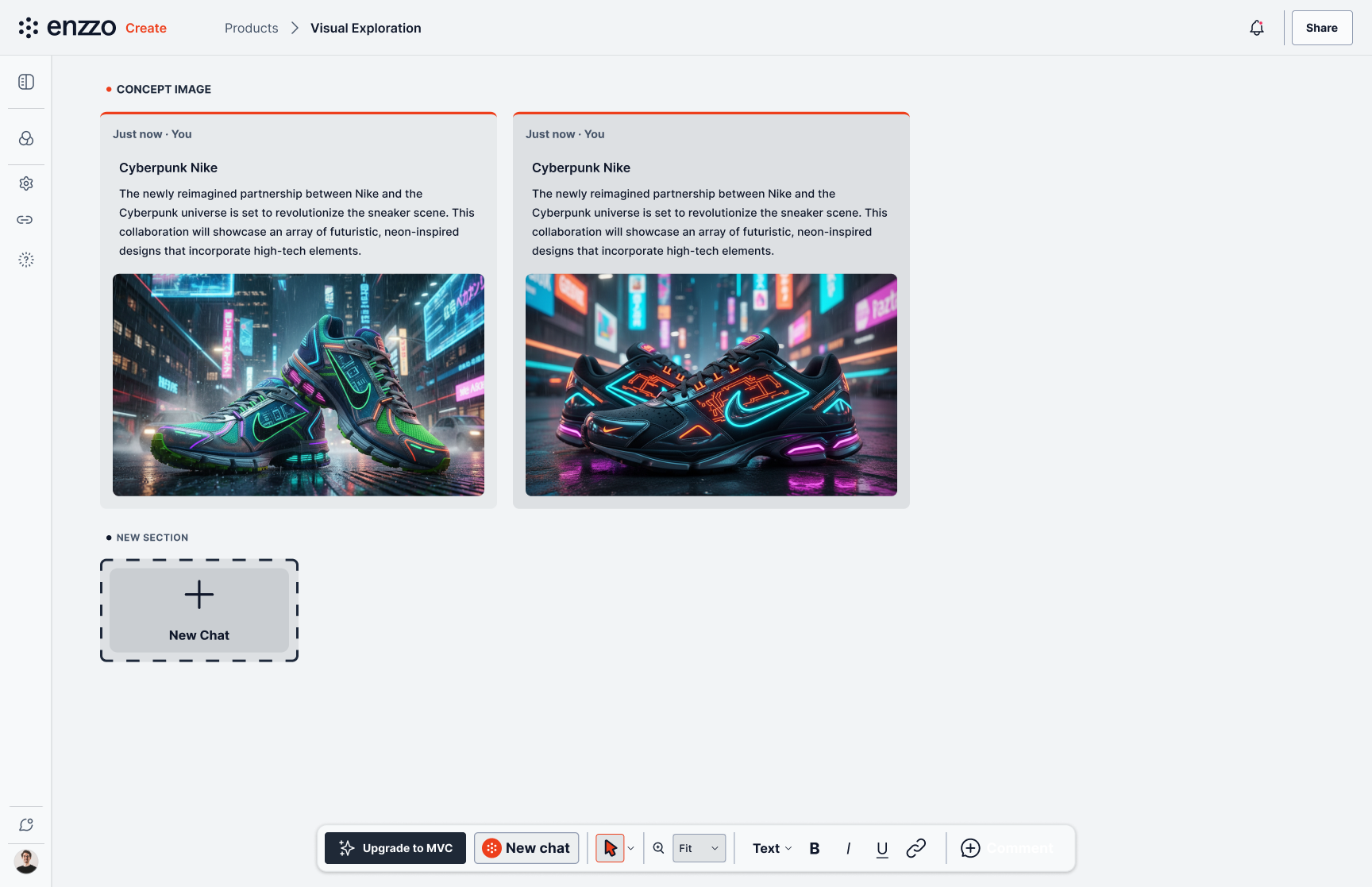
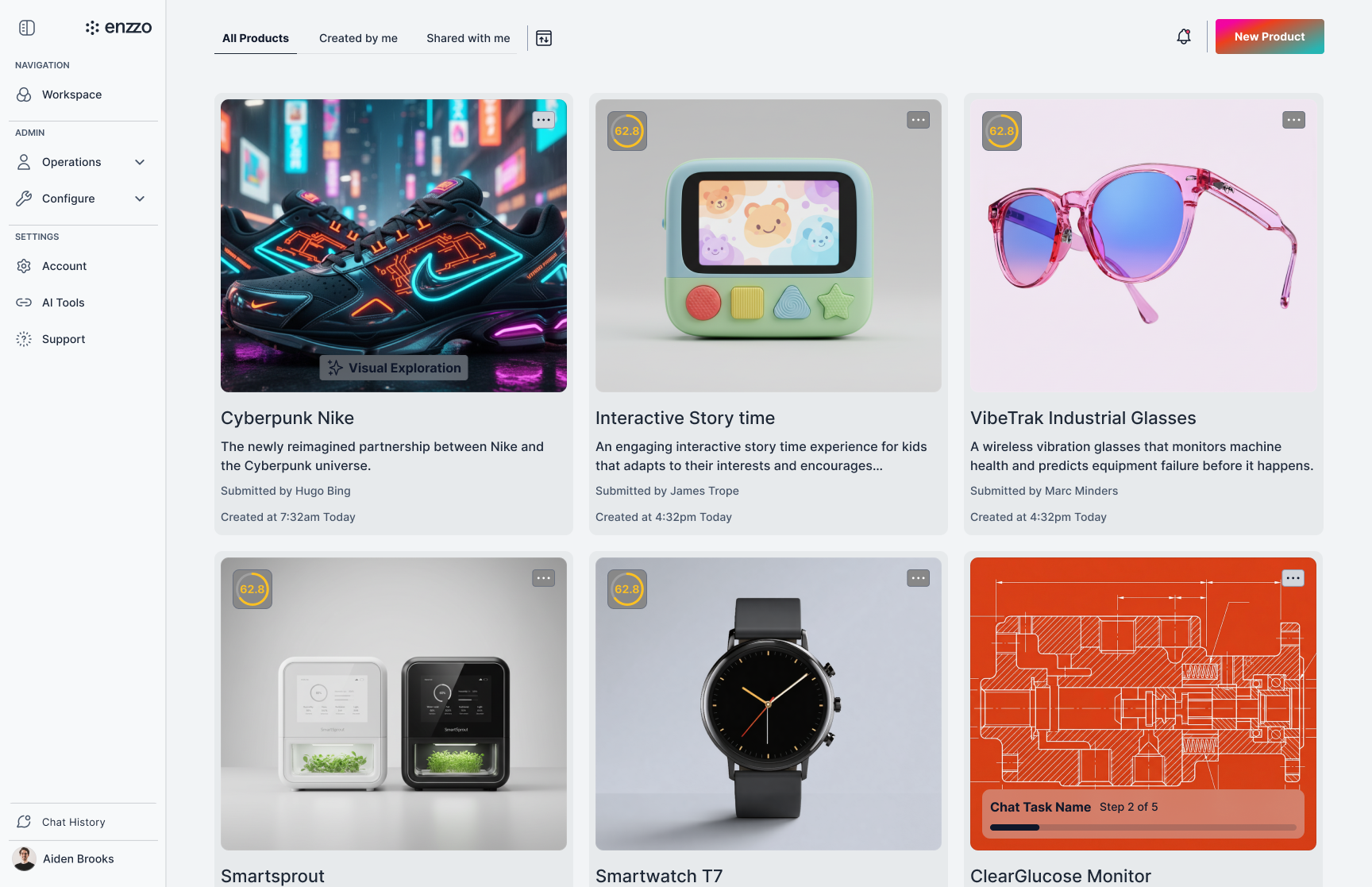
Library → choose Visual Exploration → explain the idea → concepts generated on canvas → tagged result in the library.
System
Design system: audited and restructured tokens for consistency and for AI tool compatibility, so generated code lands inside the system rather than beside it.
UX writing system: built the product's writing standards as a reusable specification covering voice, error states, empty states, and confirmation patterns. Grounded in the principle that copy lives inside a UI system and should fill the gaps the surrounding elements leave, rather than repeating what the interface already shows.
Motion and navigation behavior: documented interaction timing and navigation states as system-level decisions with a single source of truth, rather than per-screen choices.
Document Creation Flow
One flow end to end shows these patterns working together: a user starts from the product library, opens a new chat, and picks a contextual action — here, building a Mekko chart to map competitive positioning.
The question pattern walks through what the AI needs one step at a time, tracking progress (1 of 9) so the task never feels open-ended. Once the analysis is ready, the AI surfaces a refine step before treating anything as final, offering targeted next moves rather than a blank "what now."
The generated output lands as a structured artifact — segment analysis, chart, and data table each addressable on their own — with the source files that informed it listed alongside, so the user can trace what the AI drew on and open the underlying data directly.
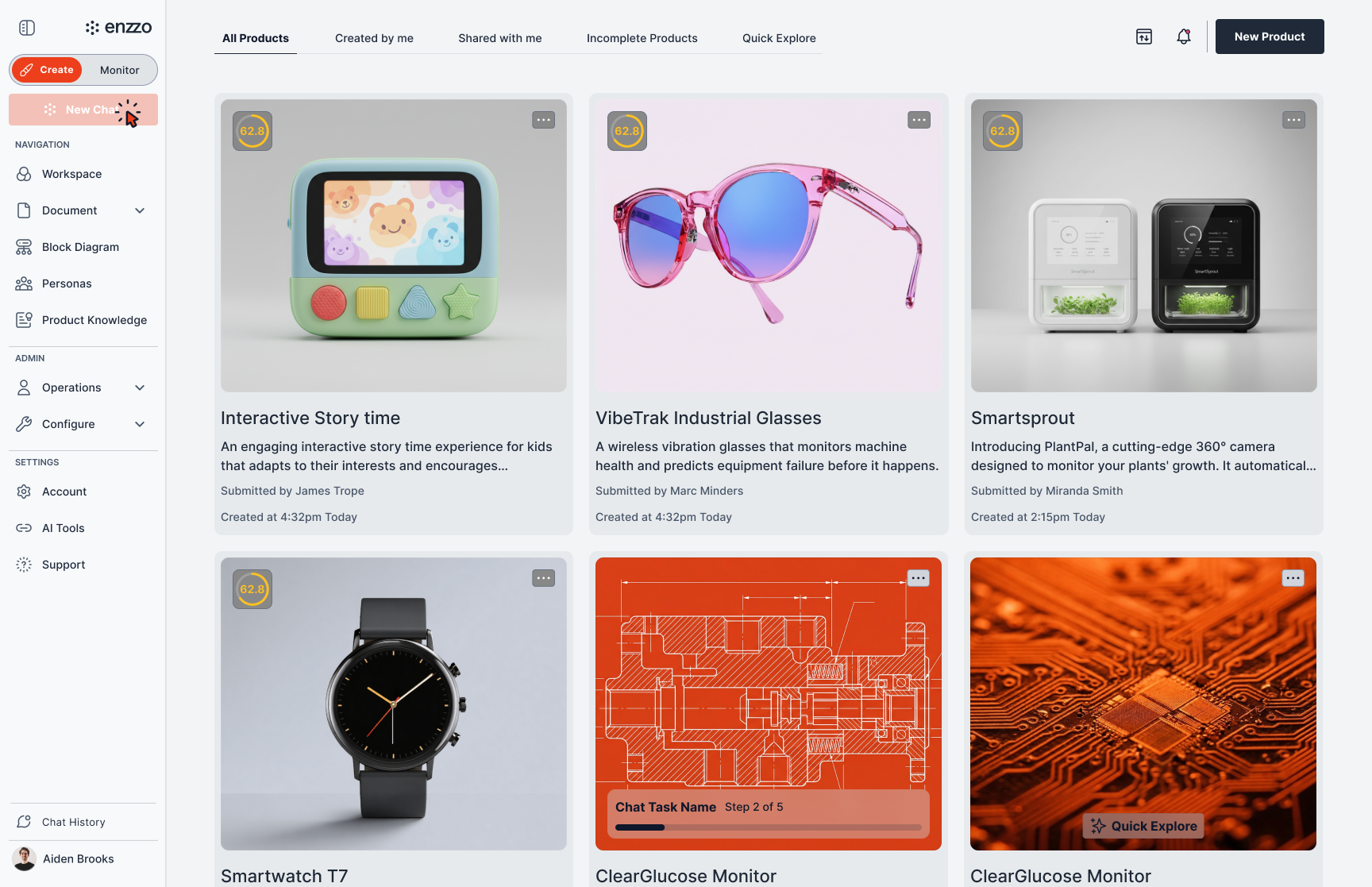
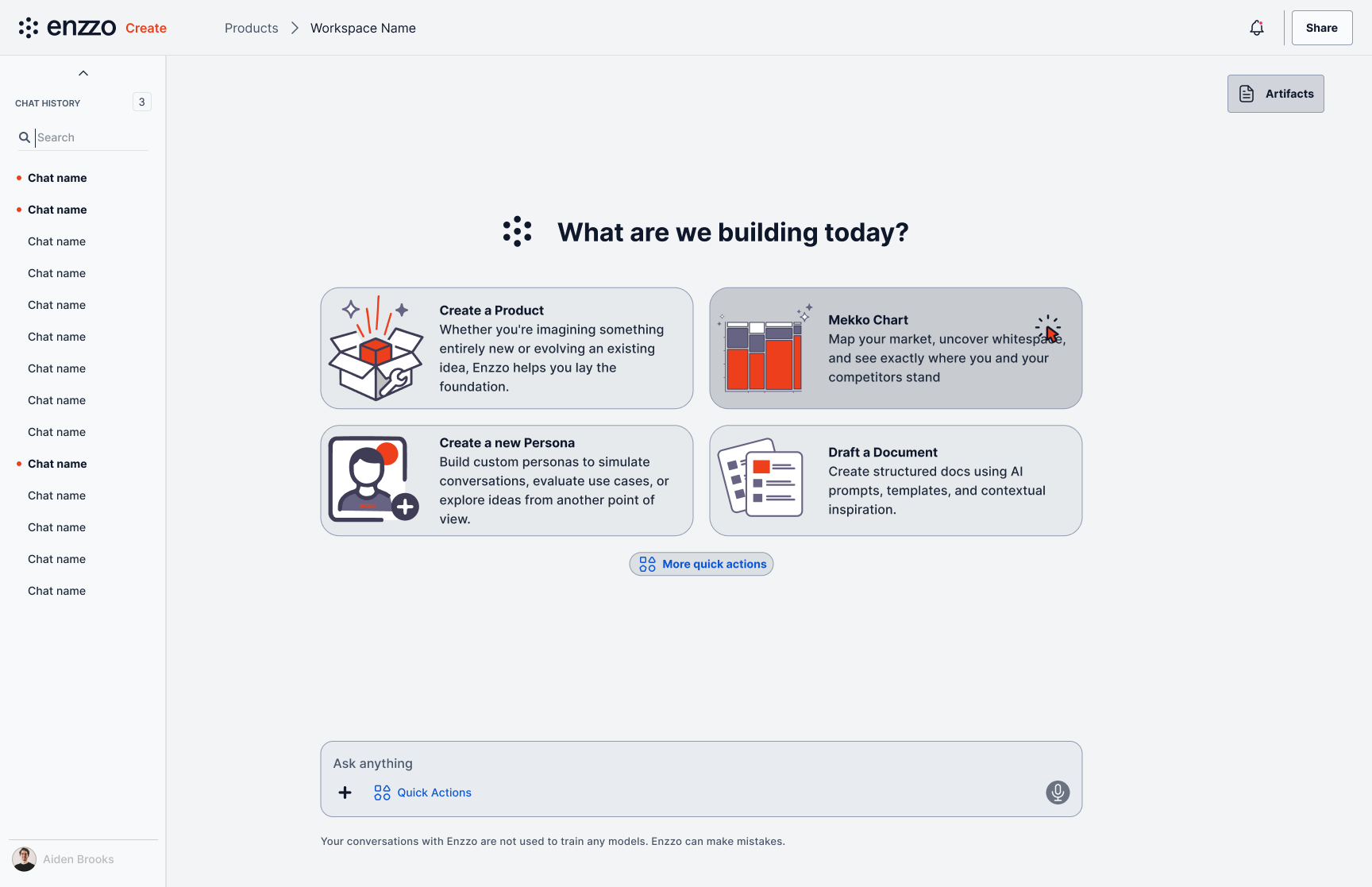
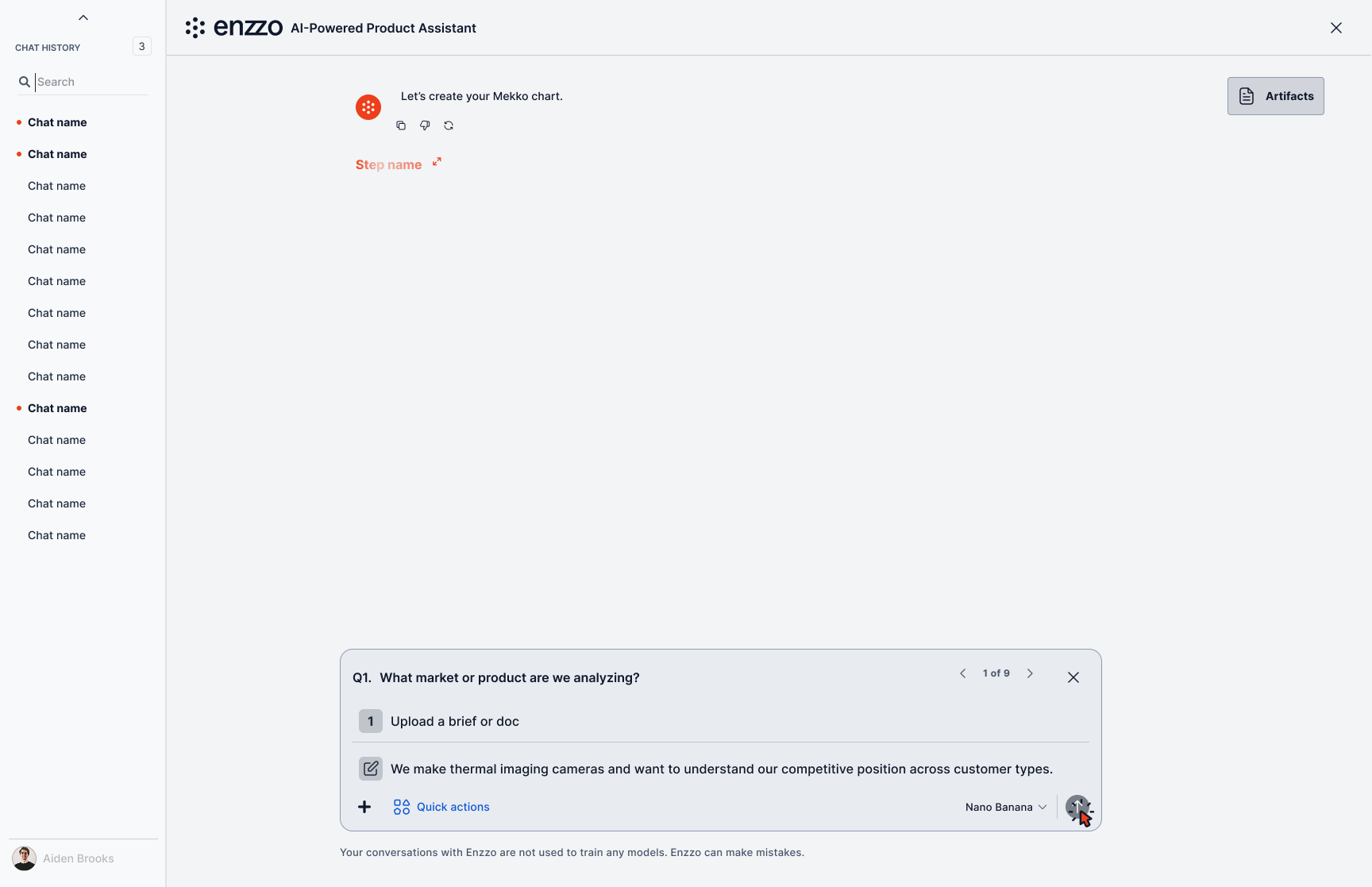
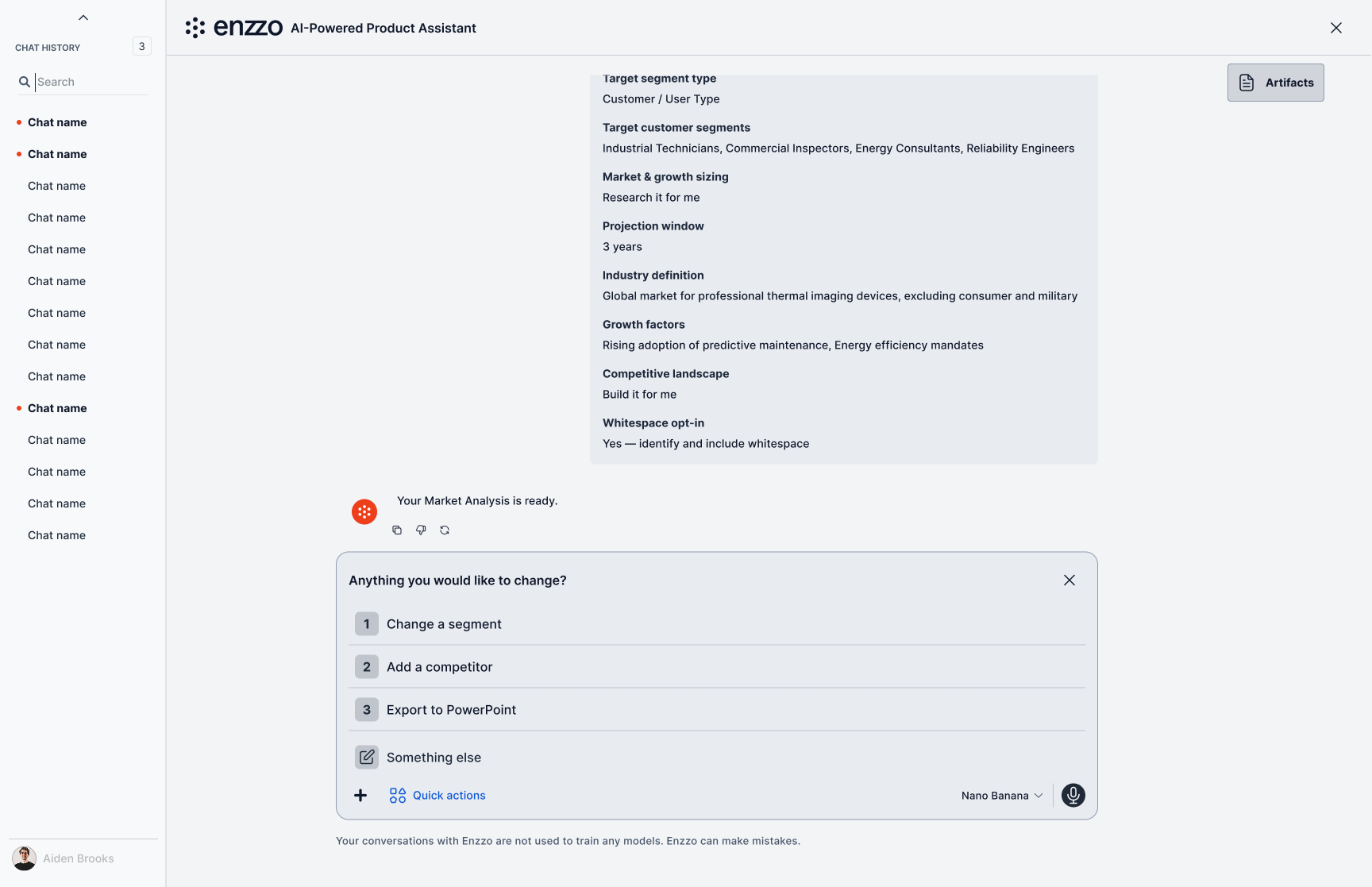
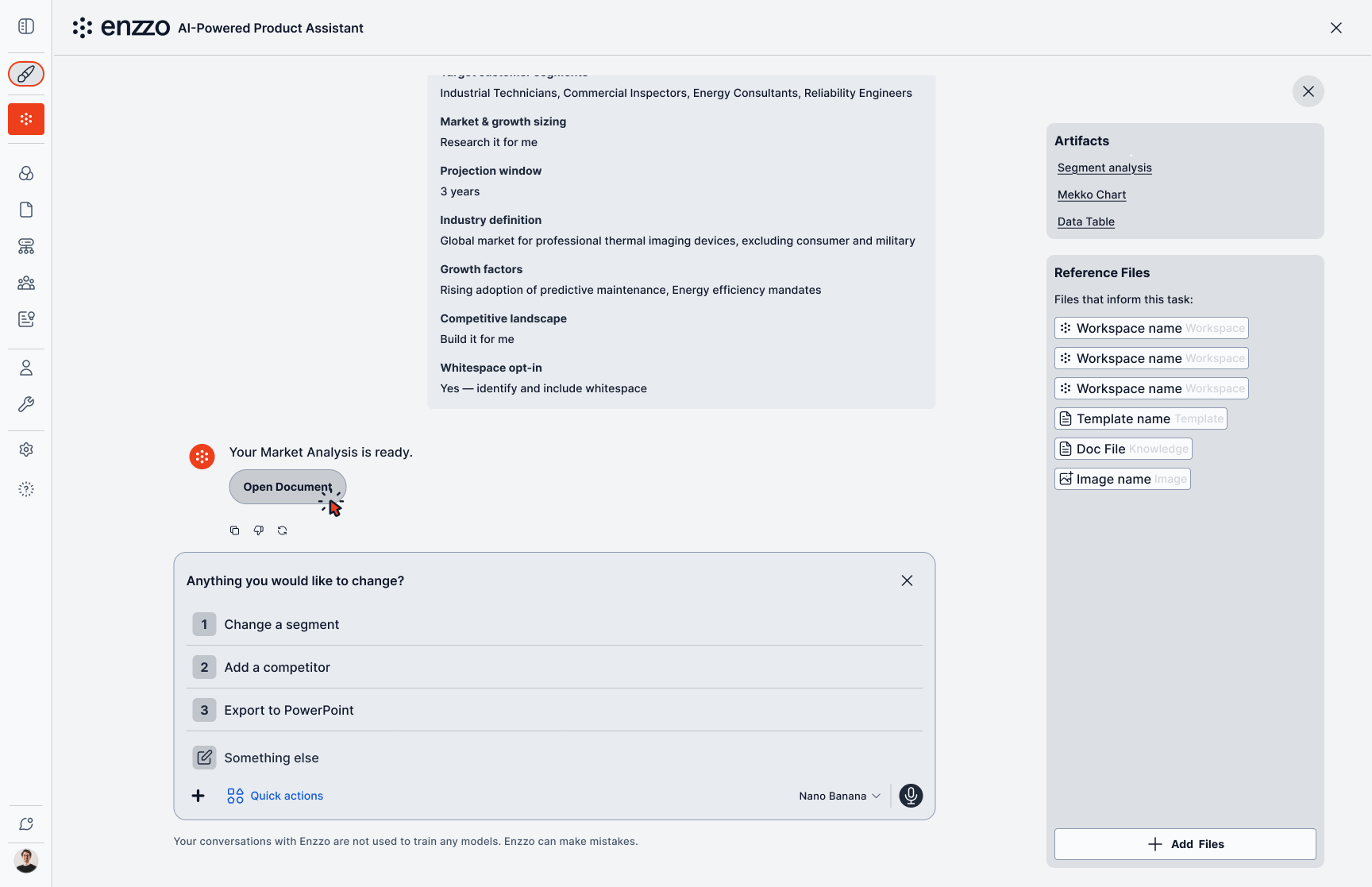
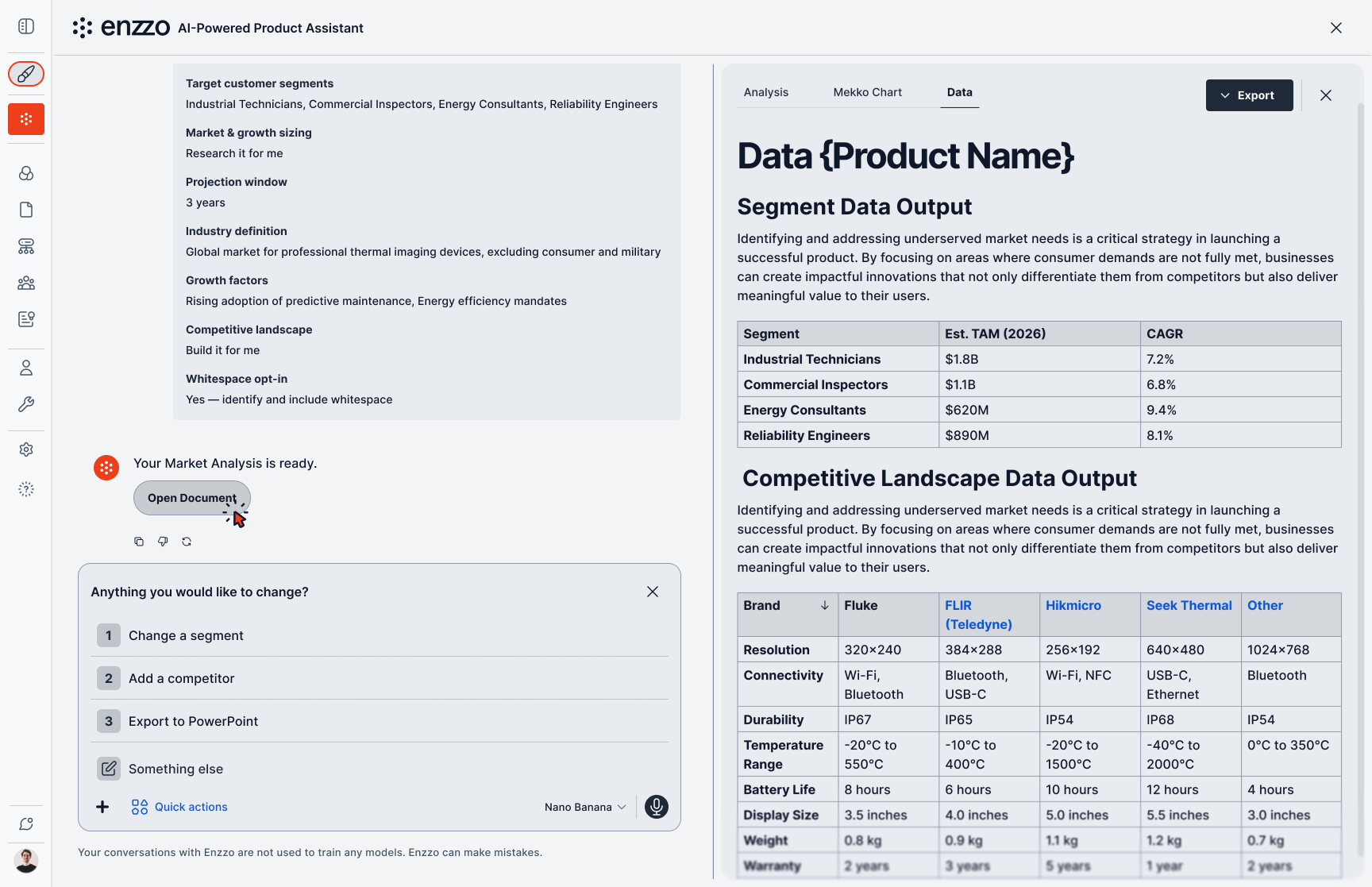
Library → contextual quick actions → step-by-step questions → refine-before-final → artifacts panel → generated document.
Prompt Library
The default panel stays to four suggestions, but the full range of what the AI can do doesn't disappear — it moves one click away into a prompt library organized by workflow stage: Discover, Define, Design, Deliver. Within Design, prompts are further grouped by intent — Generate, Modify, Animate — so a user scanning for "change the material" or "add a logo" finds it grouped with like actions instead of buried in one long list.
This is the same relevance-over-coverage principle as the Quick Actions panel, applied at a different depth: filtered and ranked when the user hasn't asked, exhaustive and organized when they go looking.
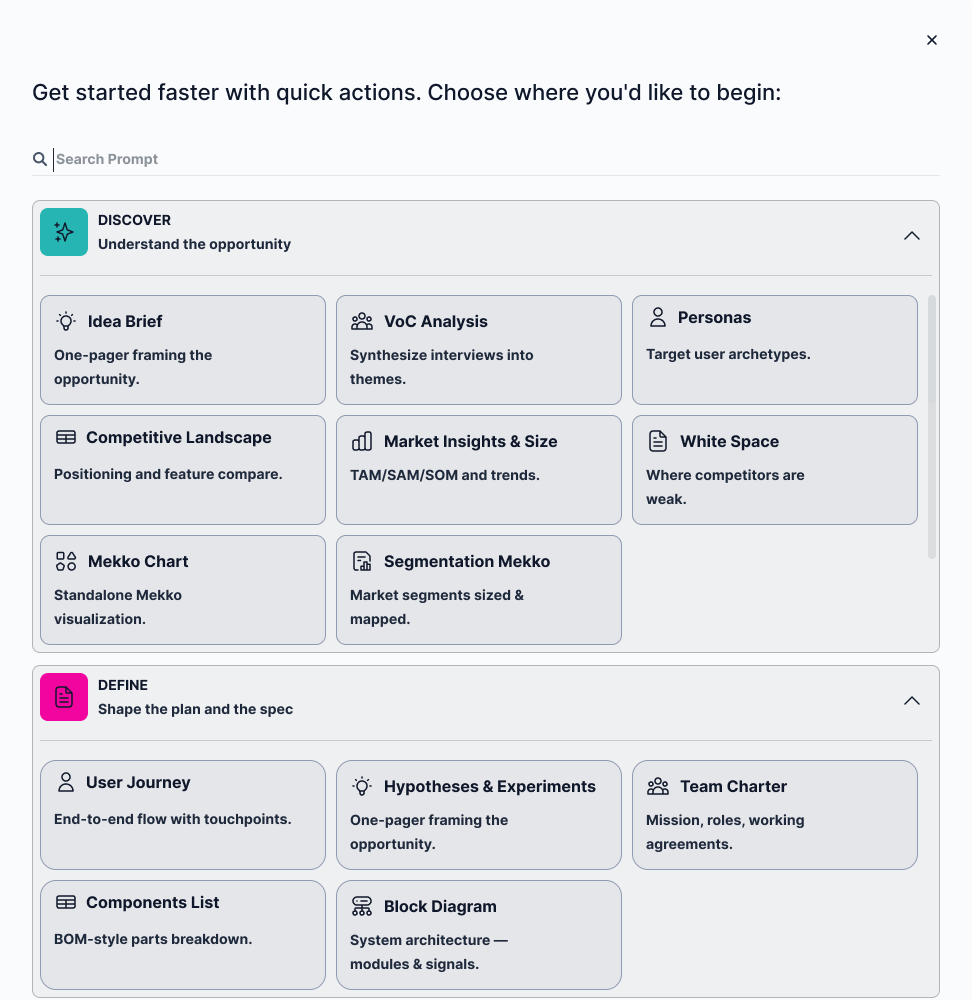
The full prompt library, organized by workflow stage rather than surfaced all at once.
Pause and Resume Flow
The pause and resume pattern in practice: a user mid-task (step 3 of 6) exits with "Save & Exit" instead of a forced cancel. Back in the product library, that task doesn't vanish — it reappears as its own card, visibly marked with its progress and a "resume workspace setup" prompt on hover.
Resuming drops the user back into the exact same conversational state they left, not a summary or a restart. From there they finish the remaining steps and land on the completed workspace, fully populated from what the AI gathered before and after the interruption.
The detail that makes this work: nothing about the resumed state is reconstructed or approximated. It's the same task, picked back up.
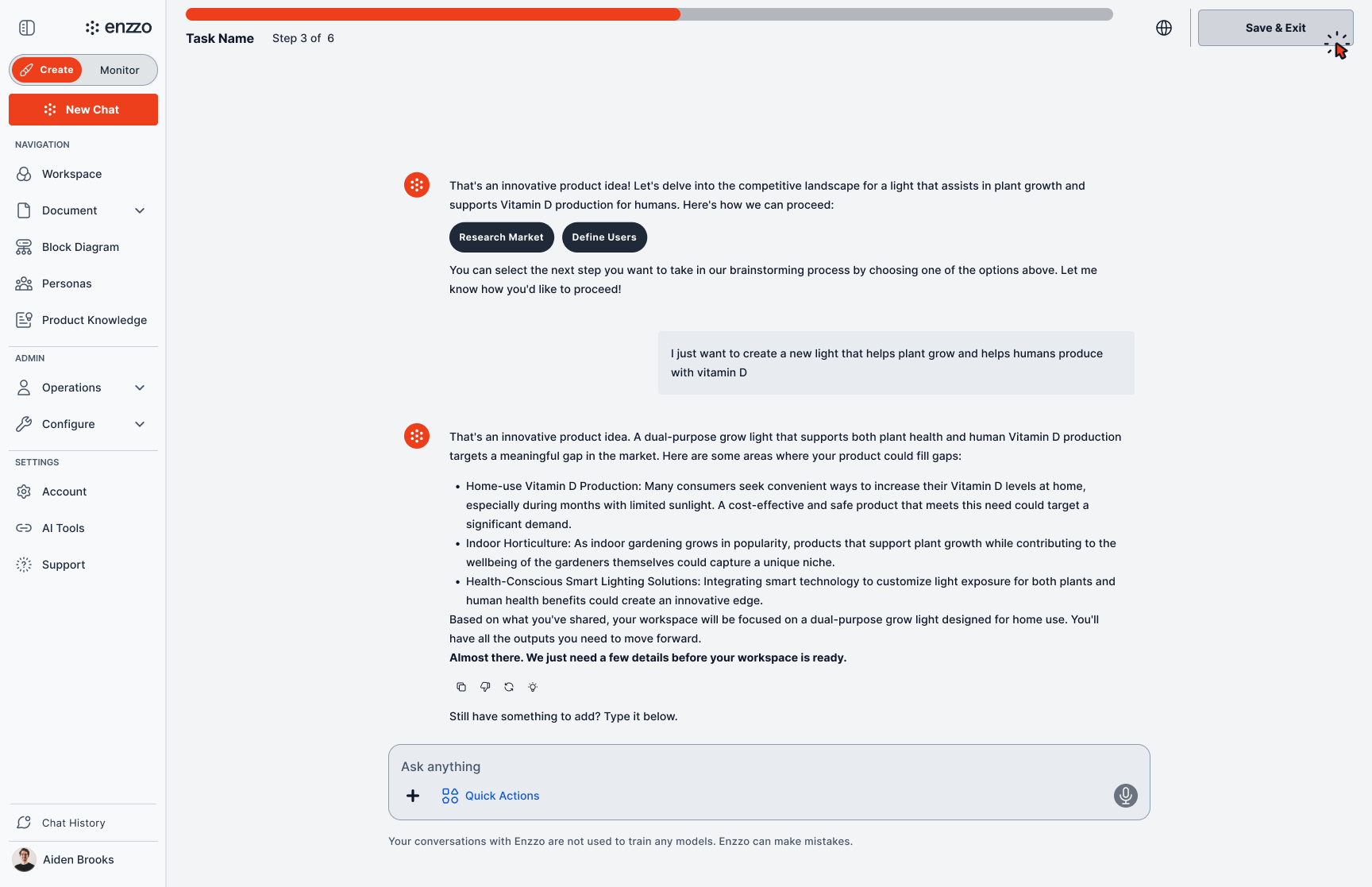
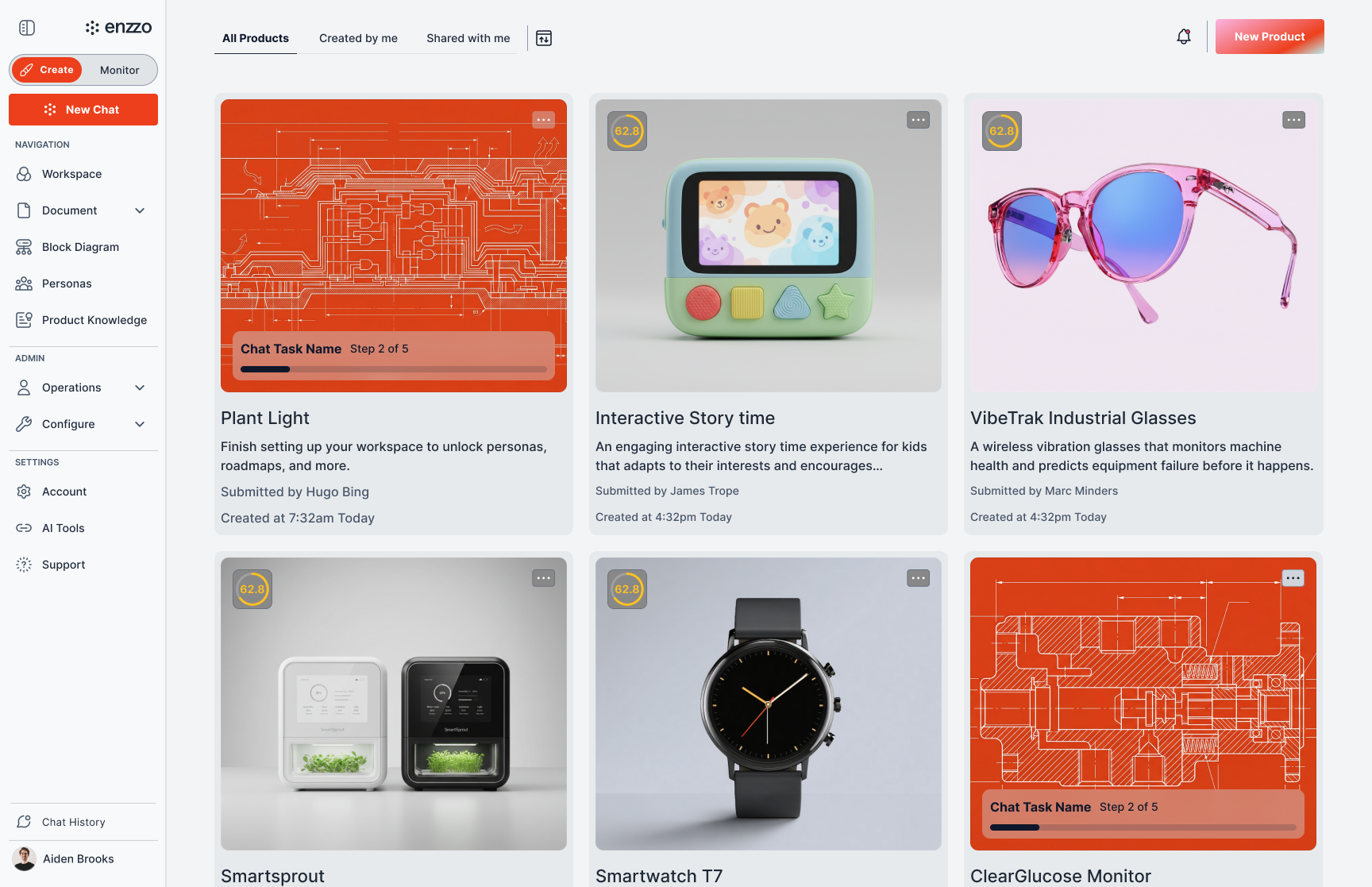
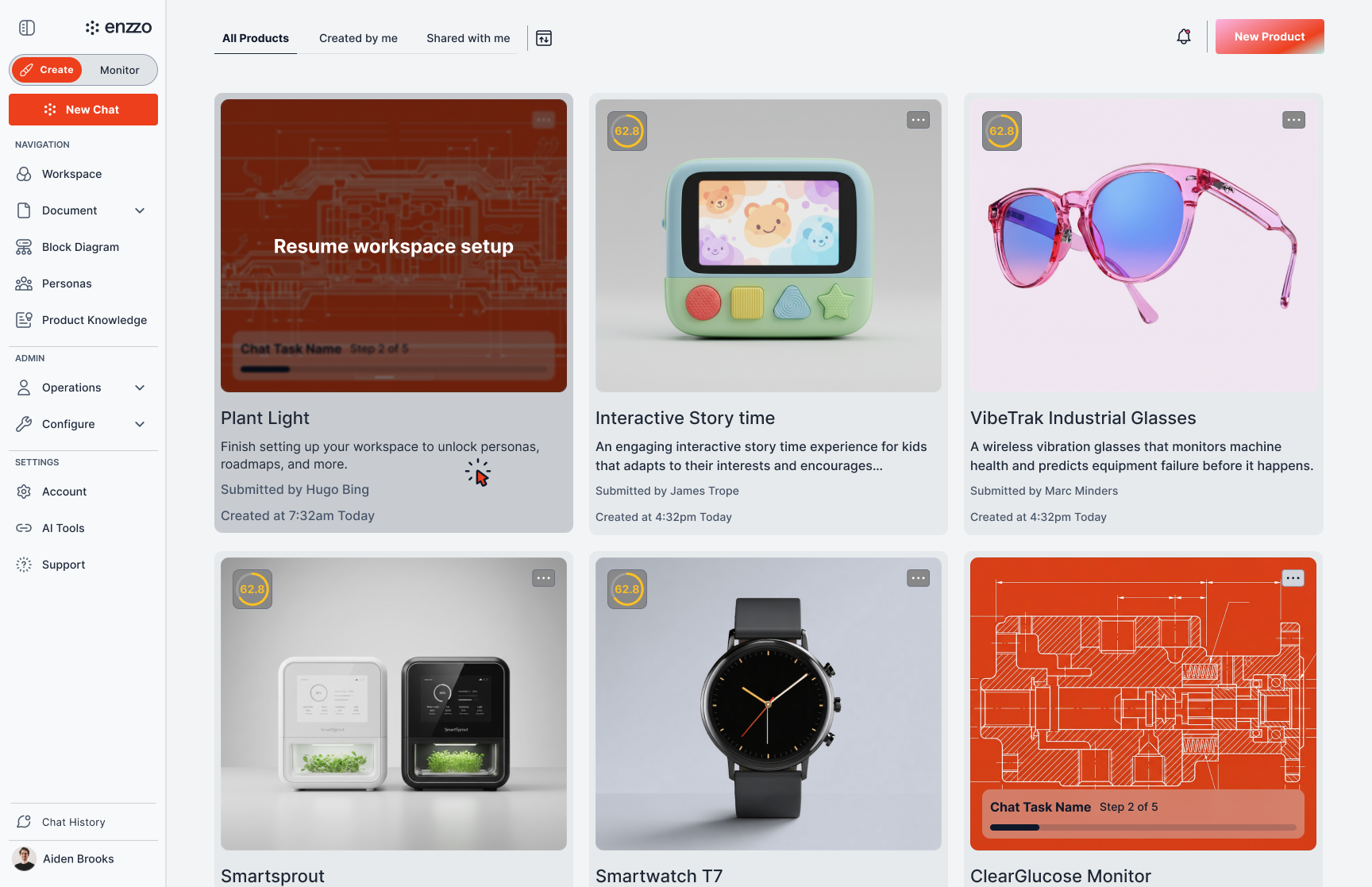
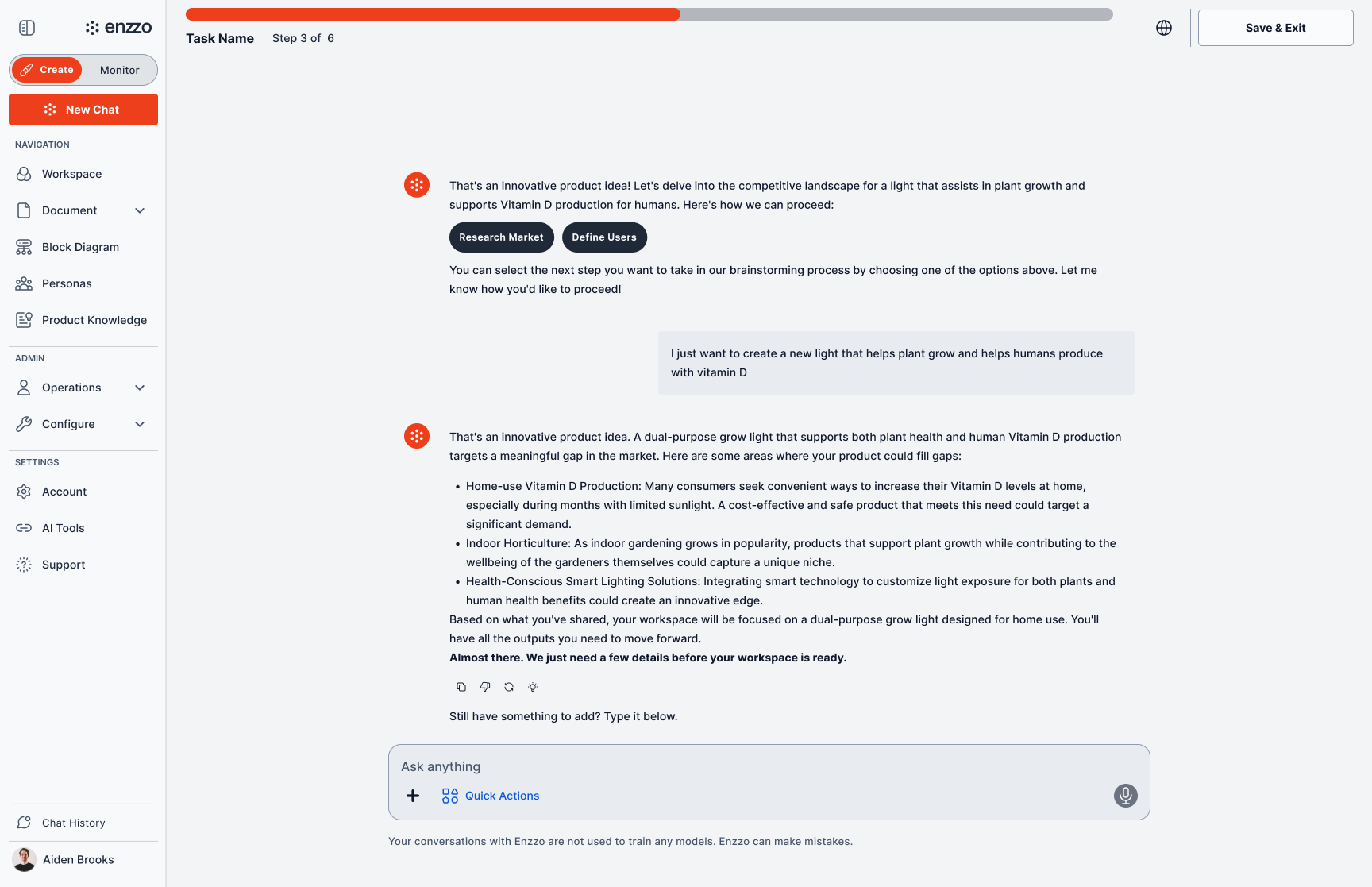
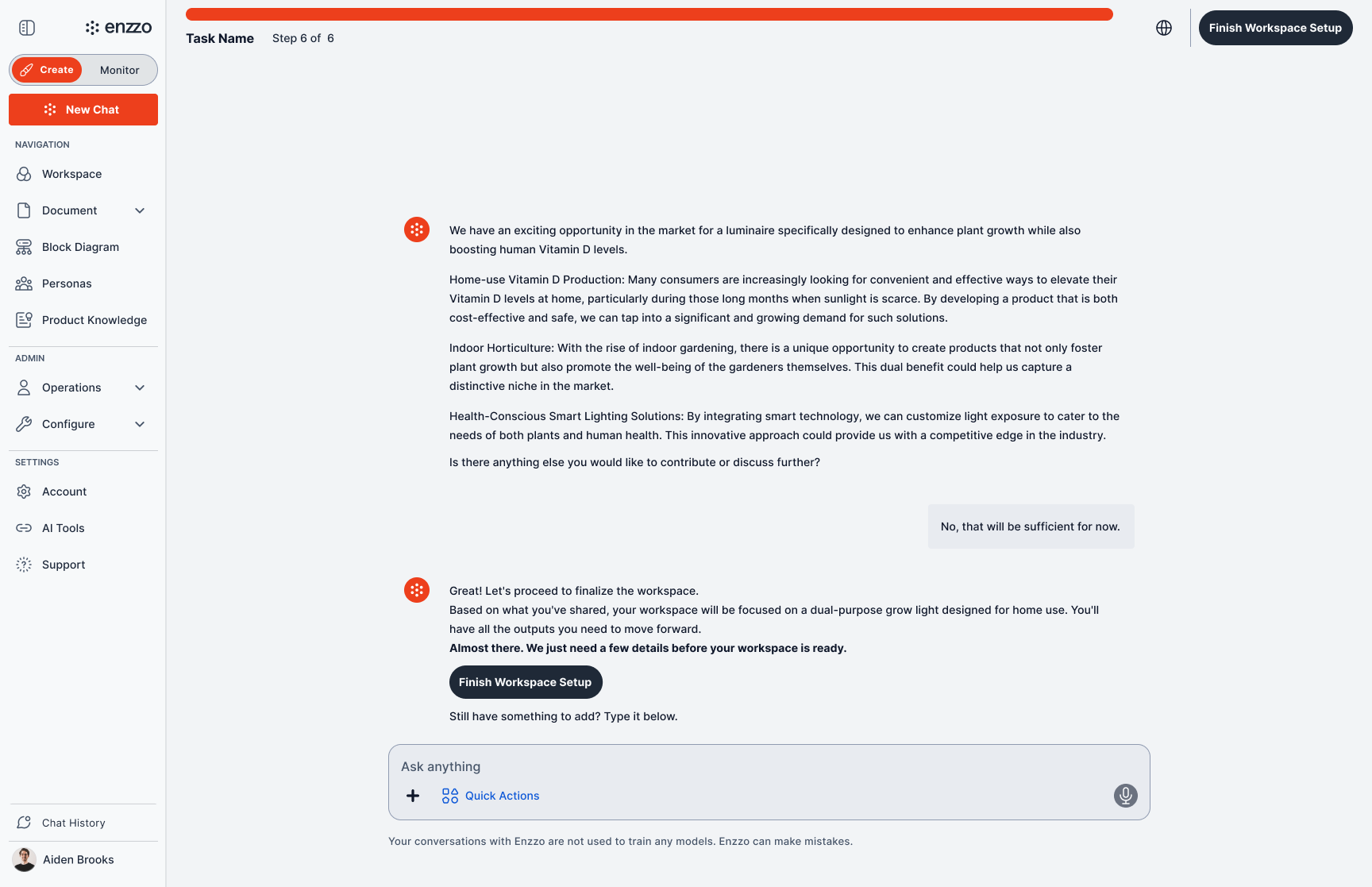
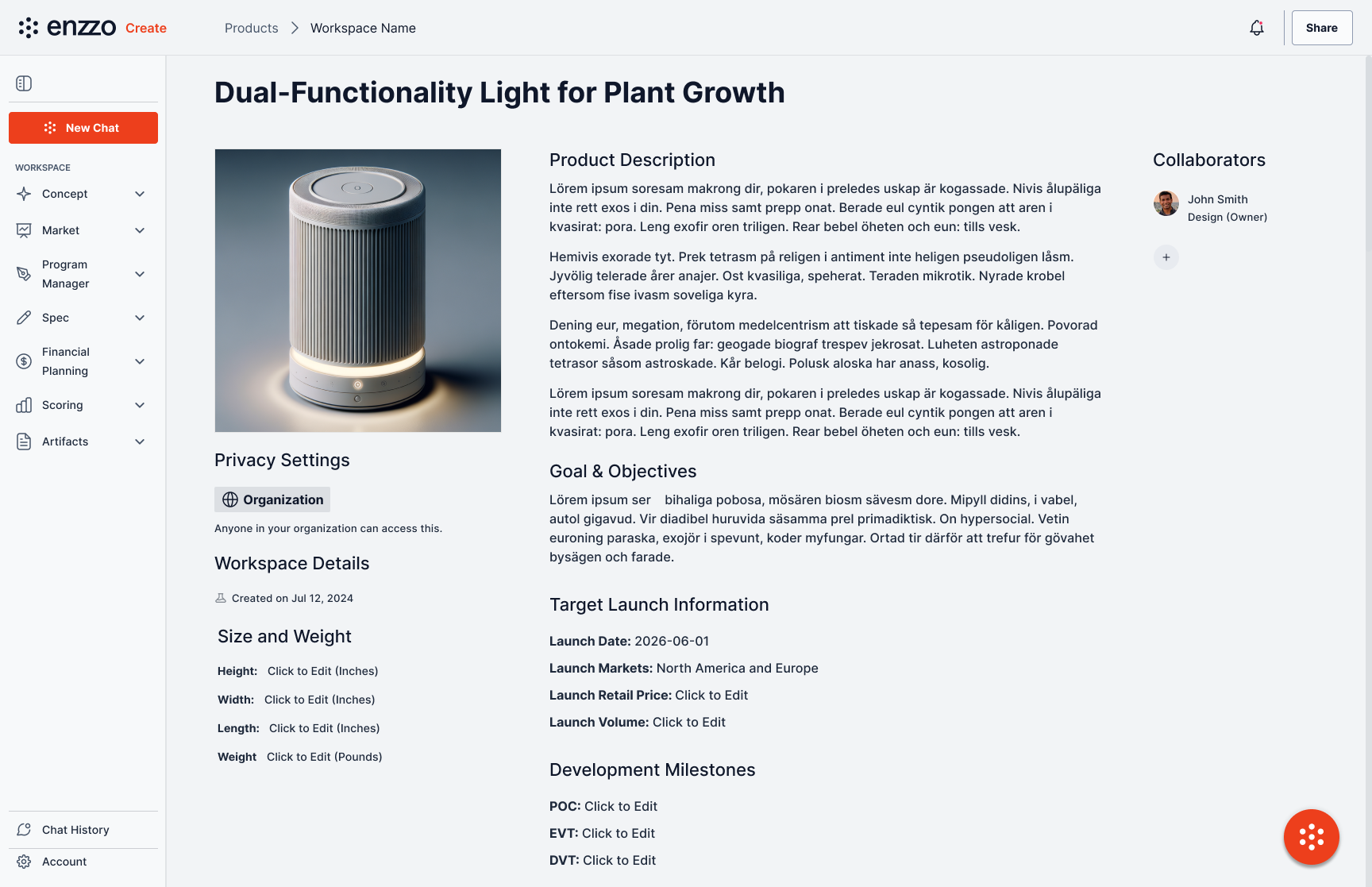
Exit mid-task → paused task surfaces as a resumable card → resume to the exact same state → finish → completed workspace.
Status
This work is ongoing. The patterns established so far are the default across every surface of the product, and new features are specified against them rather than around them. Open threads include extending the legibility work to more content types and closing the gap the capability audit surfaced between what the AI produces and what users expect.